Realms
Make realms: lands apart from your world, reached only through gates, each with its own map, its own sea and its own colour. Plus generated textures for any map.
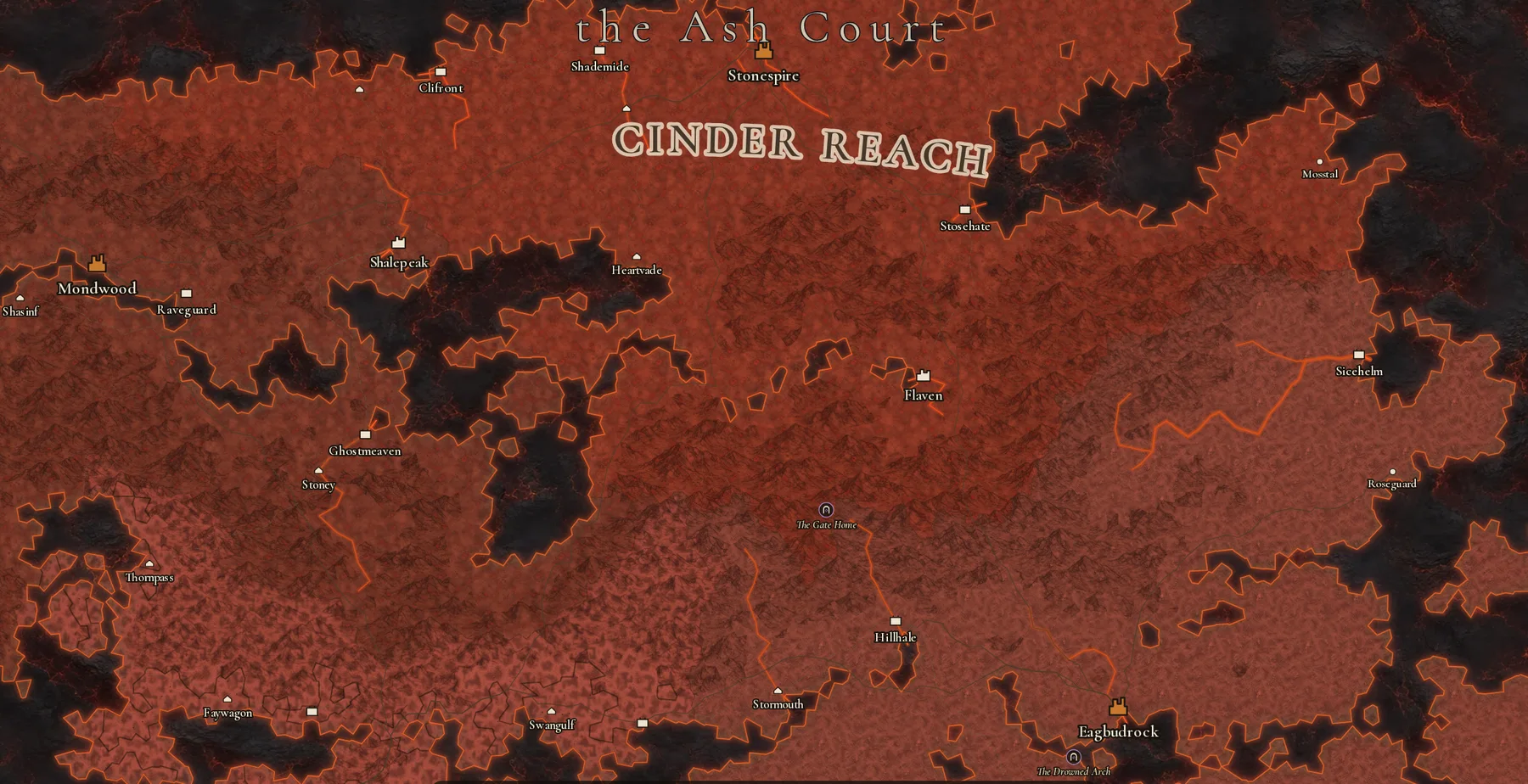
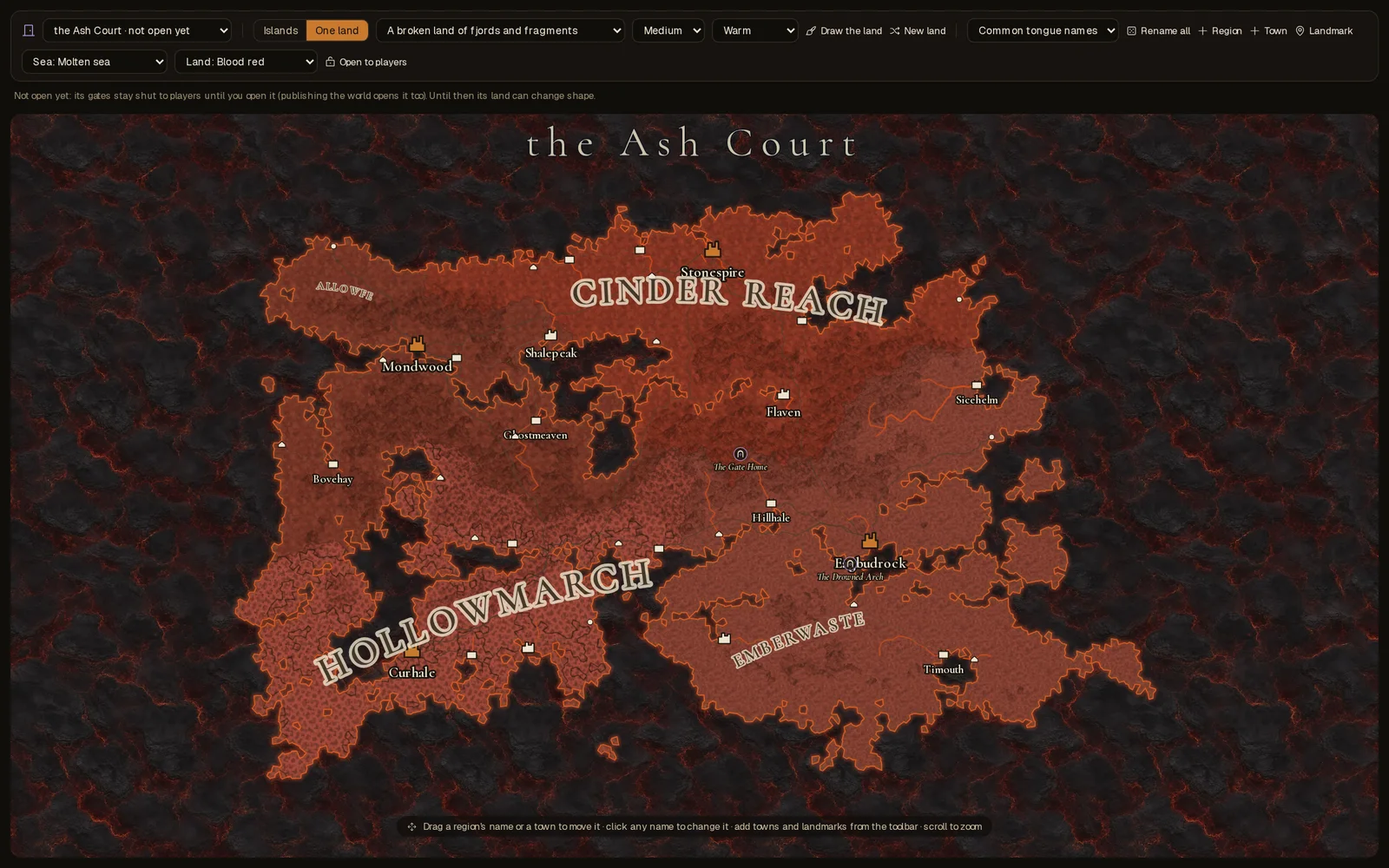
A realm is a land apart from your world, reached only through gates: a demon court, a sea of stars, a drowned cathedral. Each one now has a map of its own, with its own towns, landmarks and roads, its own sea and its own colour, and players walk it like any other land.
Make a realm
On the Studio's Map tab, open the land menu at the top left and choose + New realm. It asks three things: what the realm is about, what it does to people who go there, and who lives there.
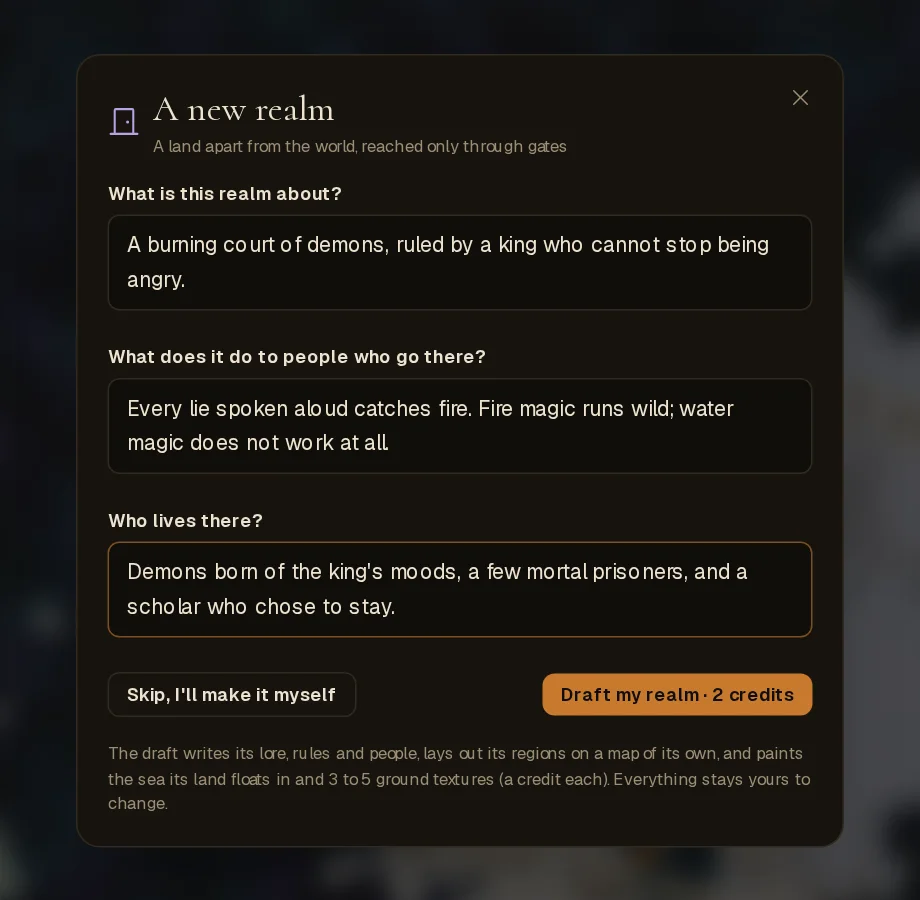
Draft my realm (2 credits) writes its lore, its rules, which magic runs stronger or not at all, two to four regions, and a few of the people who live there. It lays the regions out on a map of its own and paints the sea its land floats in and three to five ground textures for it, at a credit each. Or choose Skip and build it by hand.
Everything stays yours to change. A realm's map is edited with the same tools as your world's: draw the land, move regions and towns, place landmarks, pick a town's architecture. The realm card on the Places tab holds its lore, what works differently there, and its magic, school by school.
Its own sea and its own colour
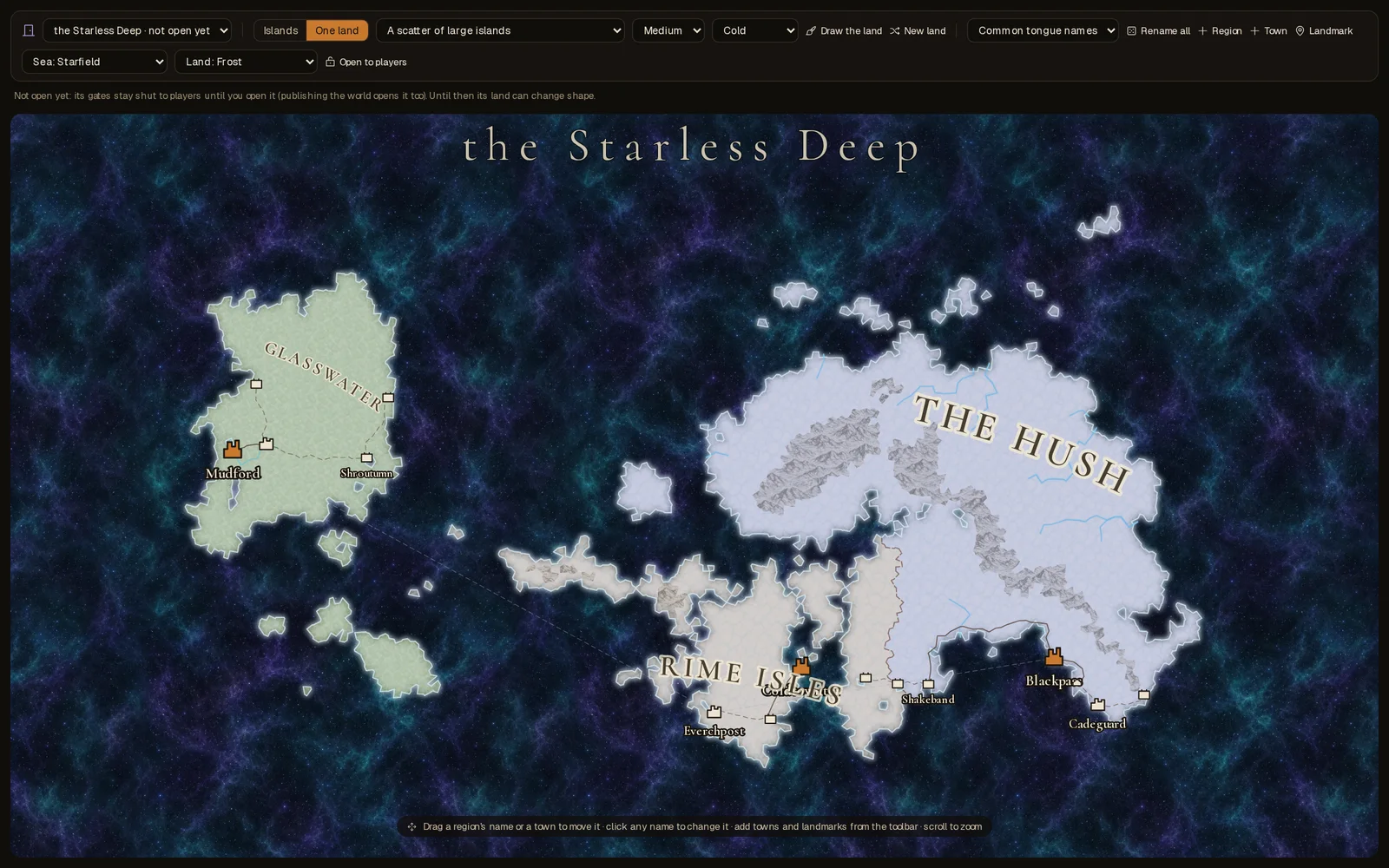
A realm never sits in your world's ocean. Pick its Sea from the toolbar: the void, a molten sea, a starfield, blood fog or grey mist, or paint your own from a few words.
Pick its Land colour and the whole land is flooded with it, rivers and coast included: blood red with lava rivers and an ember shore, frost with meltwater, witchlight, ash and cinders, bone, gold, rot or wild green.
Gates
A gate is a new kind of landmark. Place one anywhere, on your world's map or inside a realm, and choose where it Leads to. Tick A way back and a gate home appears on the far side; tick Sealed and nothing passes until you open it. Realms can lead on to other realms.
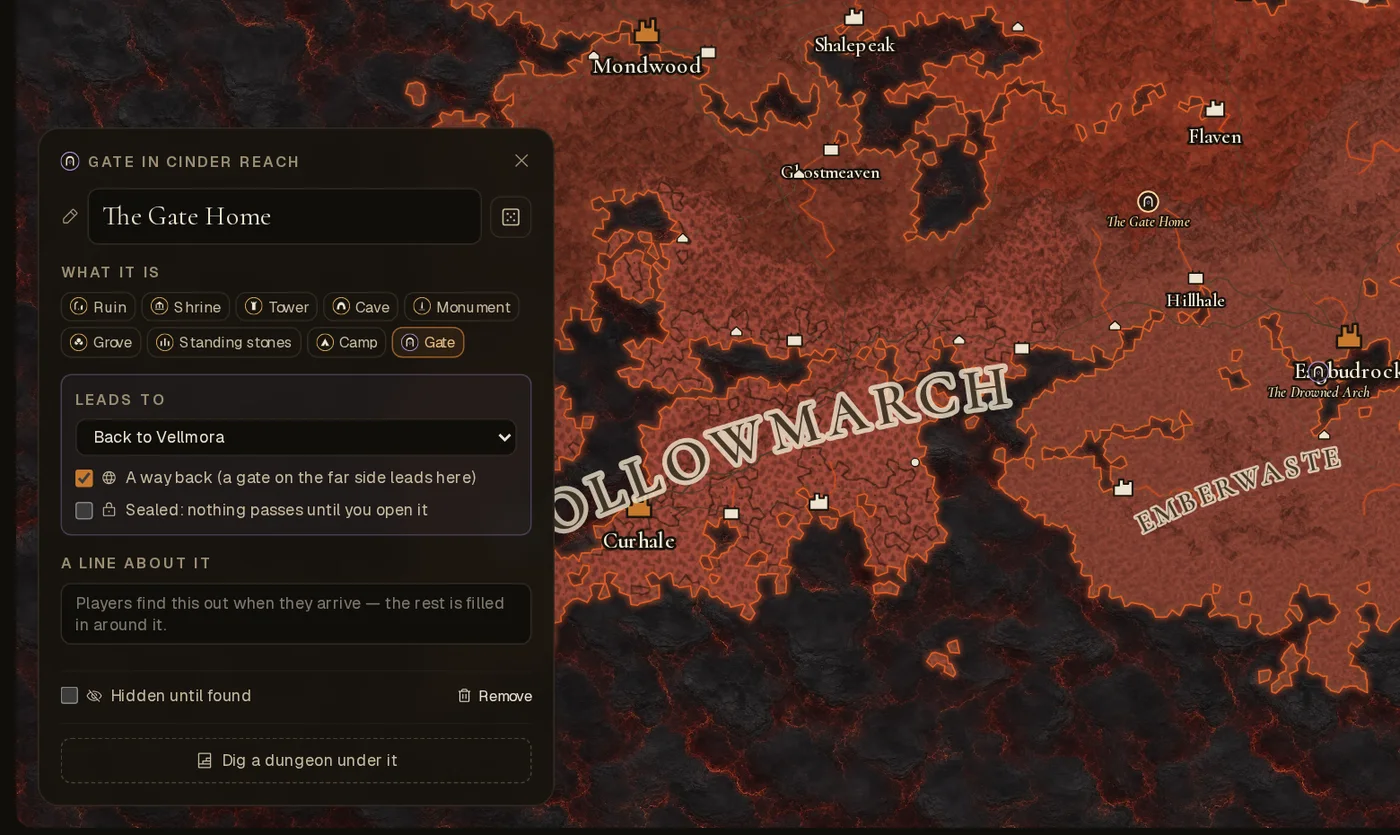
A realm stays not open yet while you build it: its gates are shut to players and its land can still change shape. Open to players fixes its land; publishing your world opens every realm with a map.
In play
- Gates are the only way in. A realm with a map is entered at one of its gates, and you come out at the gate on the far side, or at the realm's capital. No road or ship crosses between lands.
- The map shows the land you're on. Step through a gate and the map becomes the realm's.
- Its rules hold. The storyteller keeps every scene in the realm, and in every region of its map, to what works differently there and which magic runs stronger.
- Everything else works as usual. Its towns, landmarks and travel work like anywhere else.
Textures for any map
The textures aren't only for realms. On any map, a region can wear a texture of its own, and the drawing pad has a Looks layer for painting textures onto patches of land. It stays paintable after you publish, because it doesn't change the land's shape. Describe the ground in a few words, or let the AI button write it from the place's lore. A texture costs one credit and joins your world's library.
The story finds realms only if you let it
The storyteller no longer invents realms nobody wrote. If you want strange doors in your world to open onto new places, turn on The story finds realms of its own under Rules › The world.