Sep 26, 2026studiomap
Better Map Editing Tools
Resize, move and hand-place towns, and put landmarks anywhere on your world's map.
In the World Studio, map creation gave enough freedom in terms of landmass and biomes, but not in placements. This update addresses that.
Towns
- You can now select any established town and change its size, making it a capital, a city, a town and so on.
- You can drag and move towns around. Roads are updated and adjusted automatically.
- You can place towns by hand anywhere you want. The secluded mountain village is now possible.
Landmarks
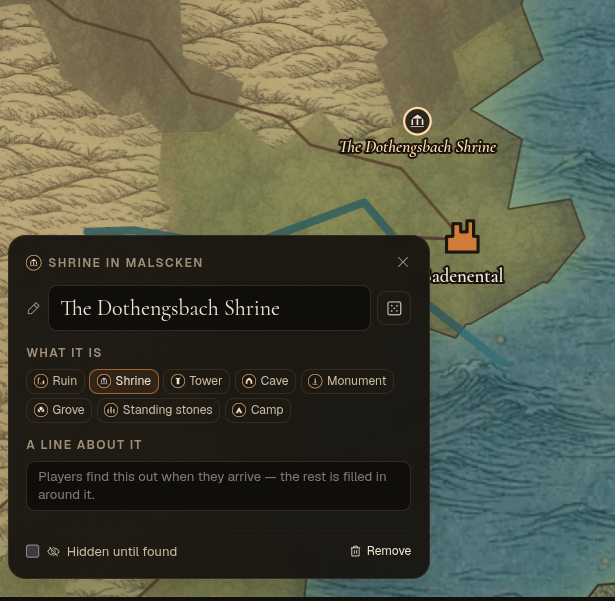
- You can create landmarks anywhere in the world. Each of them opens a location directly when you're in game.
- You can hide a landmark until it is discovered through play. The world will place it exactly where you defined it.
- Landmarks have their own icons based on their type: Ruins, Shrine, Tower, Cave, Monument, Grove, Standing stones and Camp.
- Write a simple description of each landmark for the world to respect in narration, and optionally lore entries too.