Oct 20, 2026studiosearch
Find anything in the Studio
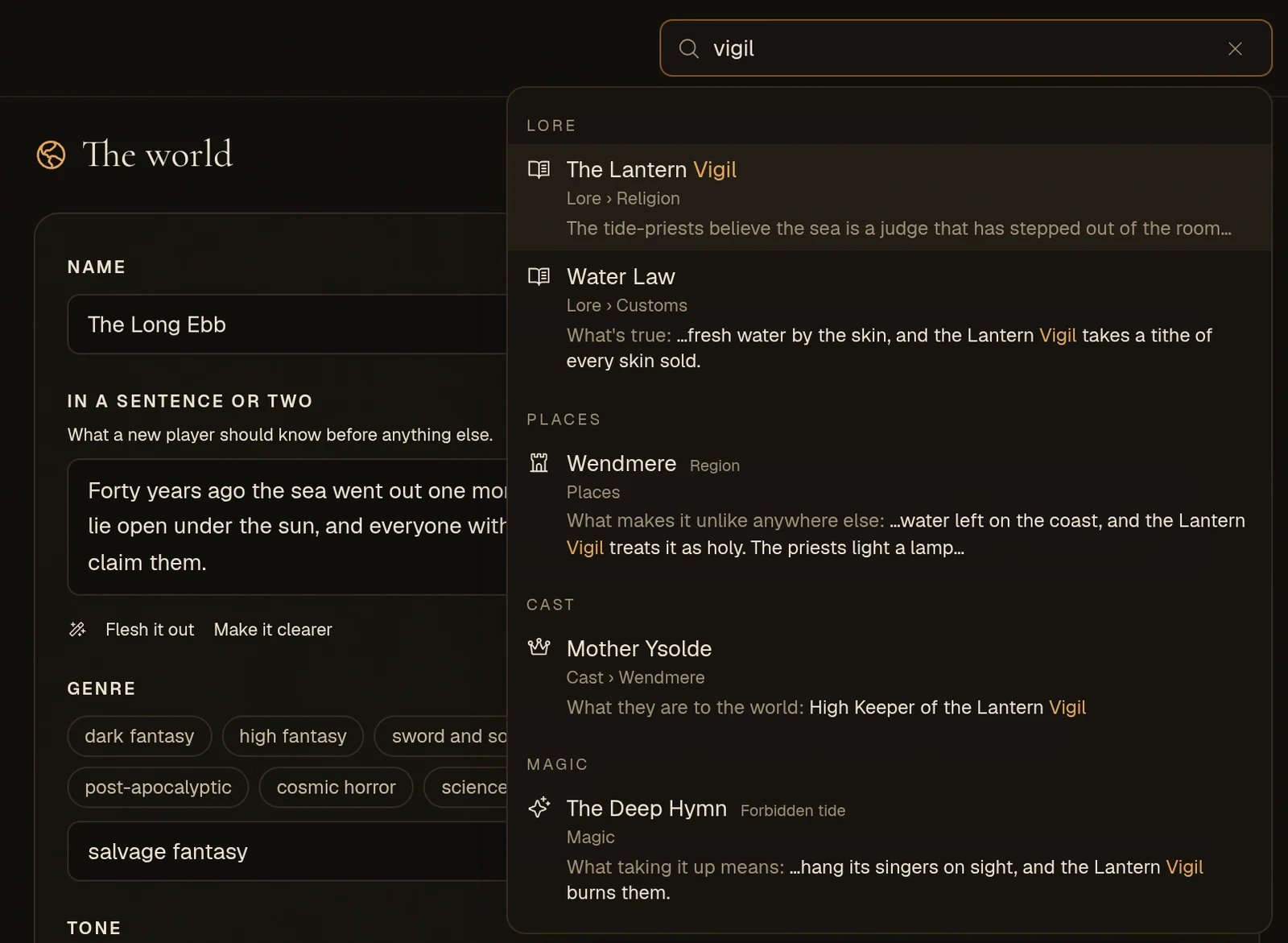
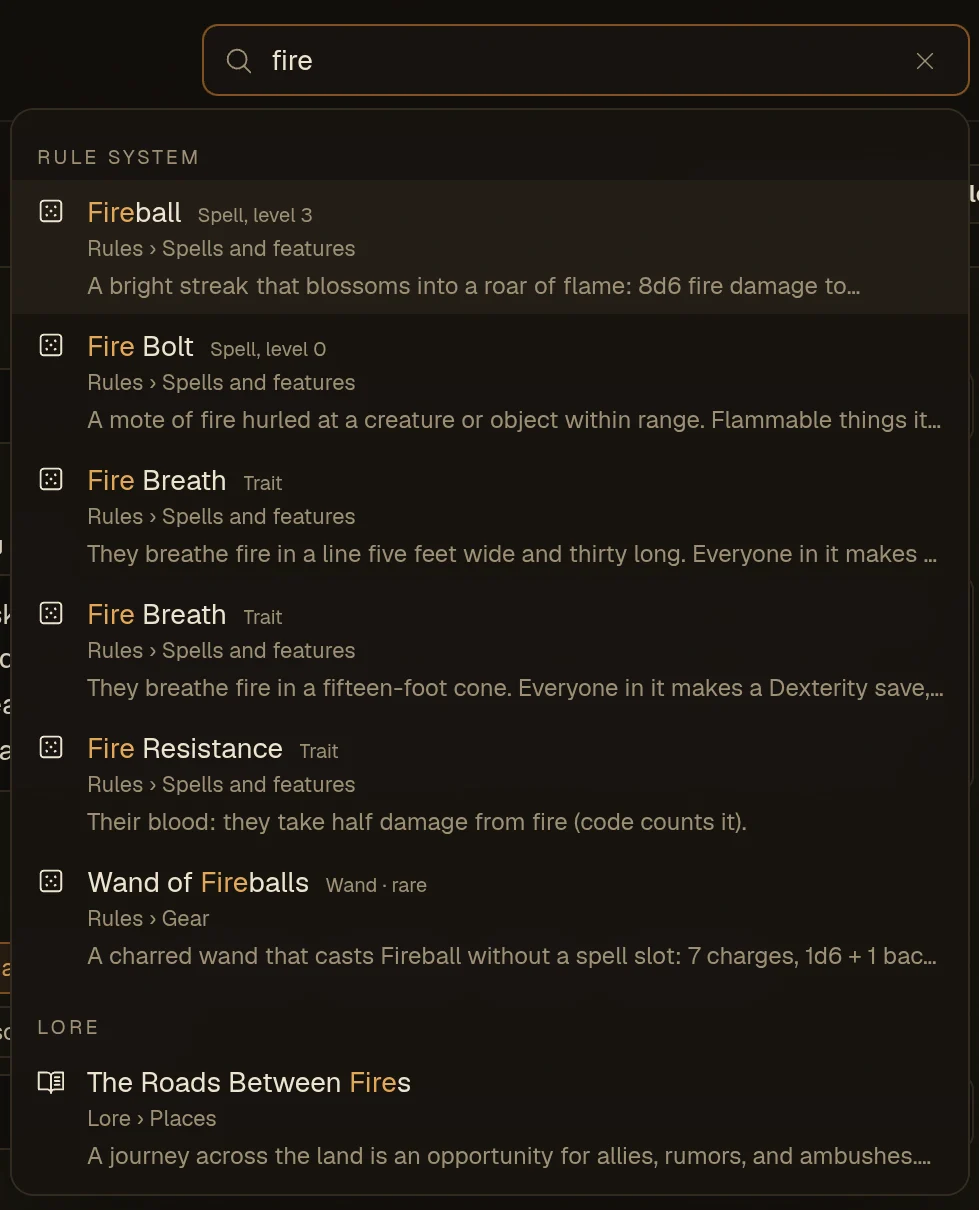
One search box at the top of the World Studio finds any setting, anything you've written and every part of your rule system, and takes you straight to the field.
The World Studio has grown to fifteen tabs, and a big world can hold hundreds of places, people, lore entries and rules. There's now one search box at the top of the Studio that finds any of it, and takes you straight to it.
Press Ctrl K (Cmd K on a Mac), or / when you're not typing, and start typing.
What it finds
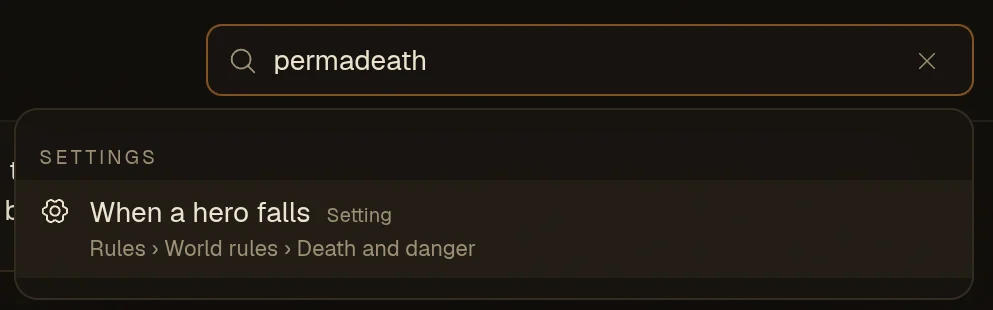
- Every setting, by its name or by the plain word for it. Type "permadeath" and you get When a hero falls. "API key", "party size" and "harbour" work the same way.
- Everything you've written. Places and realms, peoples, the cast (secrets included), magic, lore, coins and prices, local markets, and every town and landmark on every map.
- Your rule system, if the world has one: stats and skills, rolls, rule cards, abilities and spells, the bestiary, gear, classes and peoples.
When the words turn up inside a field, the result shows the lines around them and which field they're in, so you can see why it matched before you pick it.
It takes you there
Pick a result and the Studio does the walking:
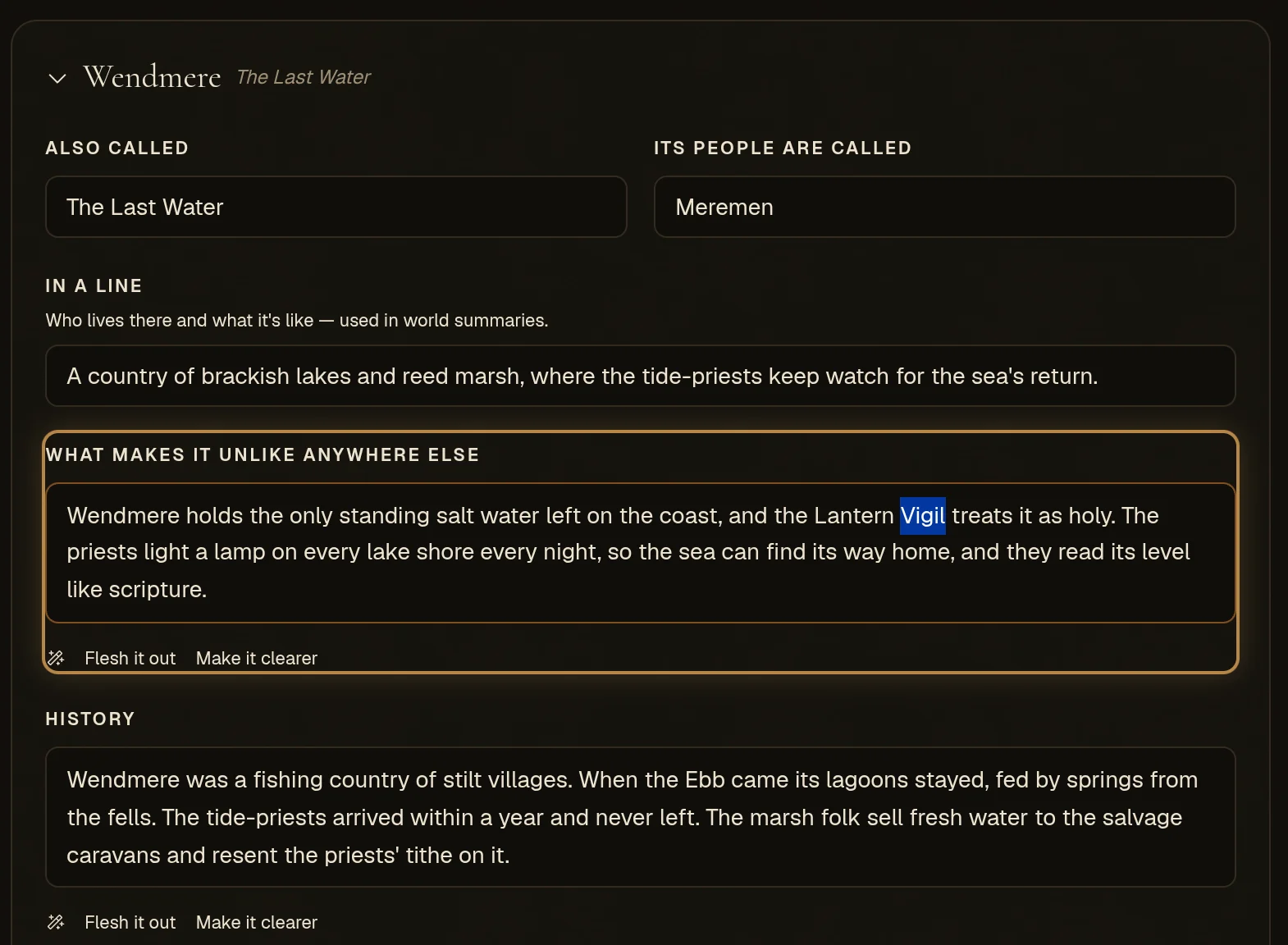
- It opens the right tab, and the right region, figure, lore entry or ability inside it.
- It scrolls to the field, lights it up, and puts your cursor on the words you searched for, ready to edit.
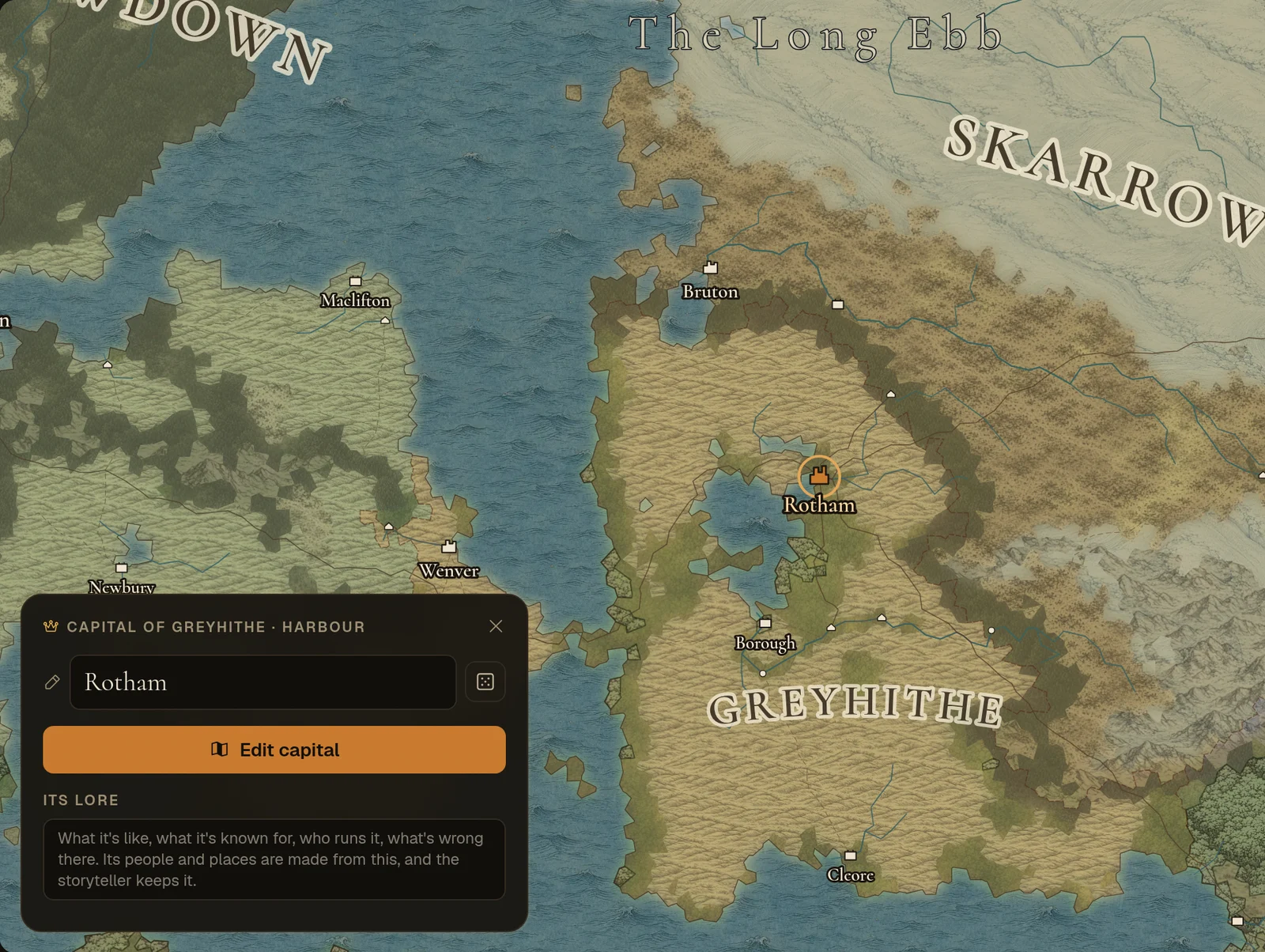
- A town or landmark gets picked out on the map, with the map centred on it and its card open.
- A rule system entry opens in its own part of the Rules tab, with any filter cleared so you can see it.
Good to know
- Every word you type has to appear somewhere in the result, so add a word to narrow a long list.
- It searches your world as it stands, including changes you haven't saved yet.
- The whole thing is explained in the docs under The Studio › Finding anything.