
Playing
Reading as a visual novel
The visual-novel view: speakers over the place, a line at a time, voices, faces and painted places.
What the visual novel is
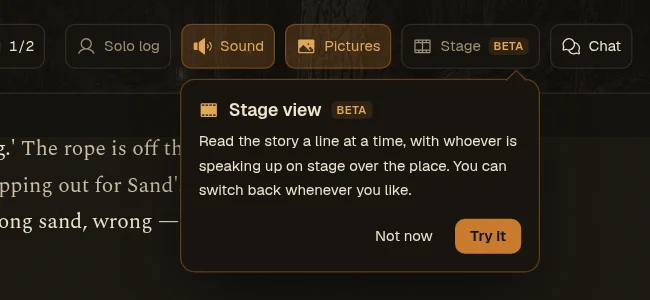
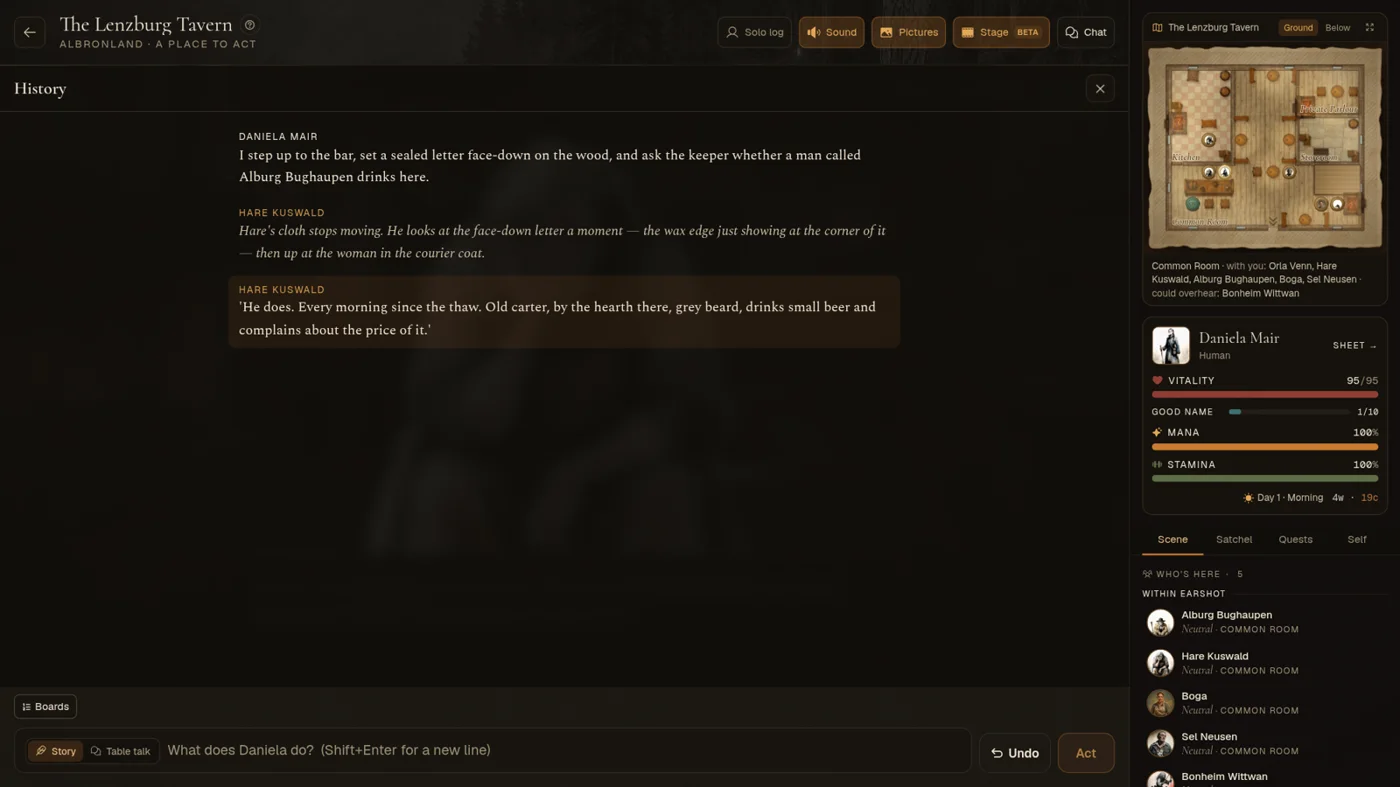
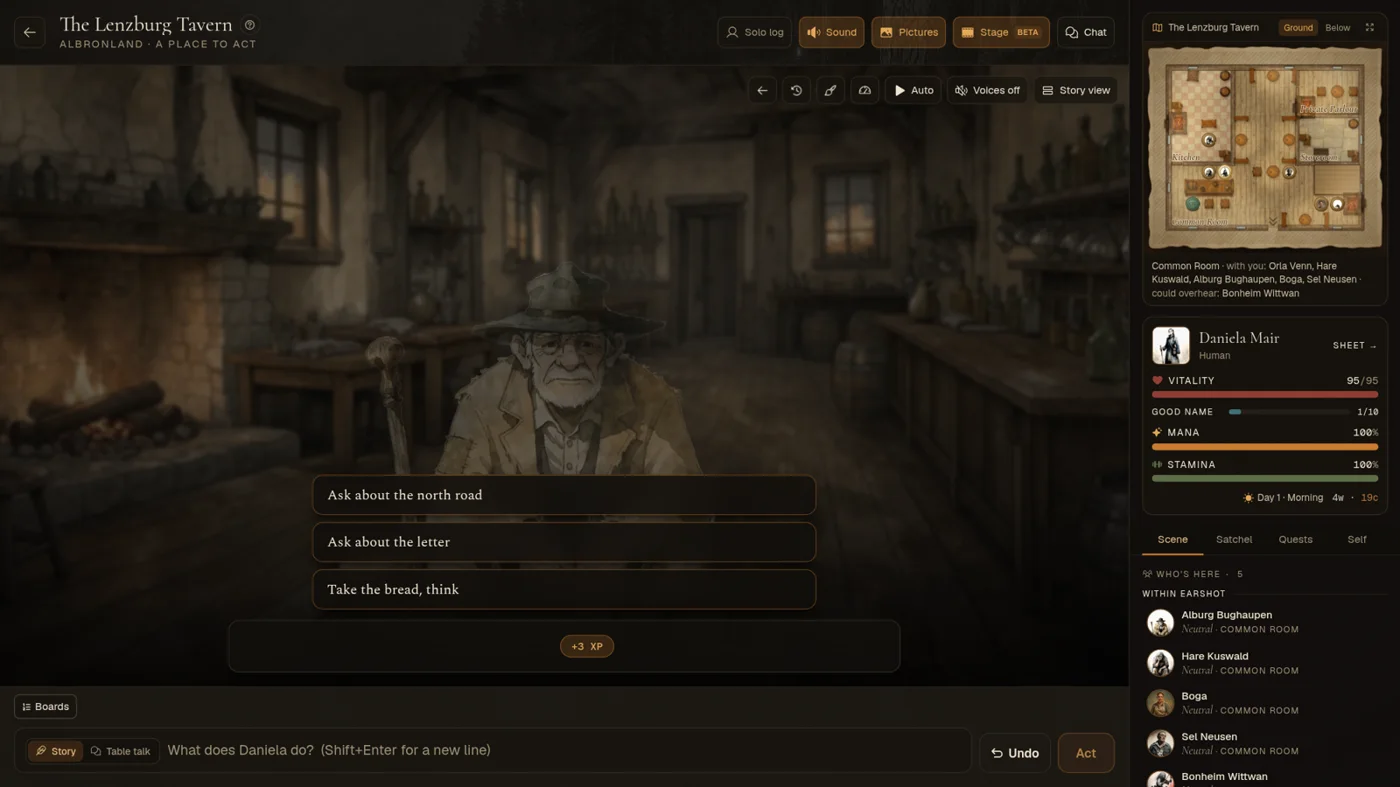
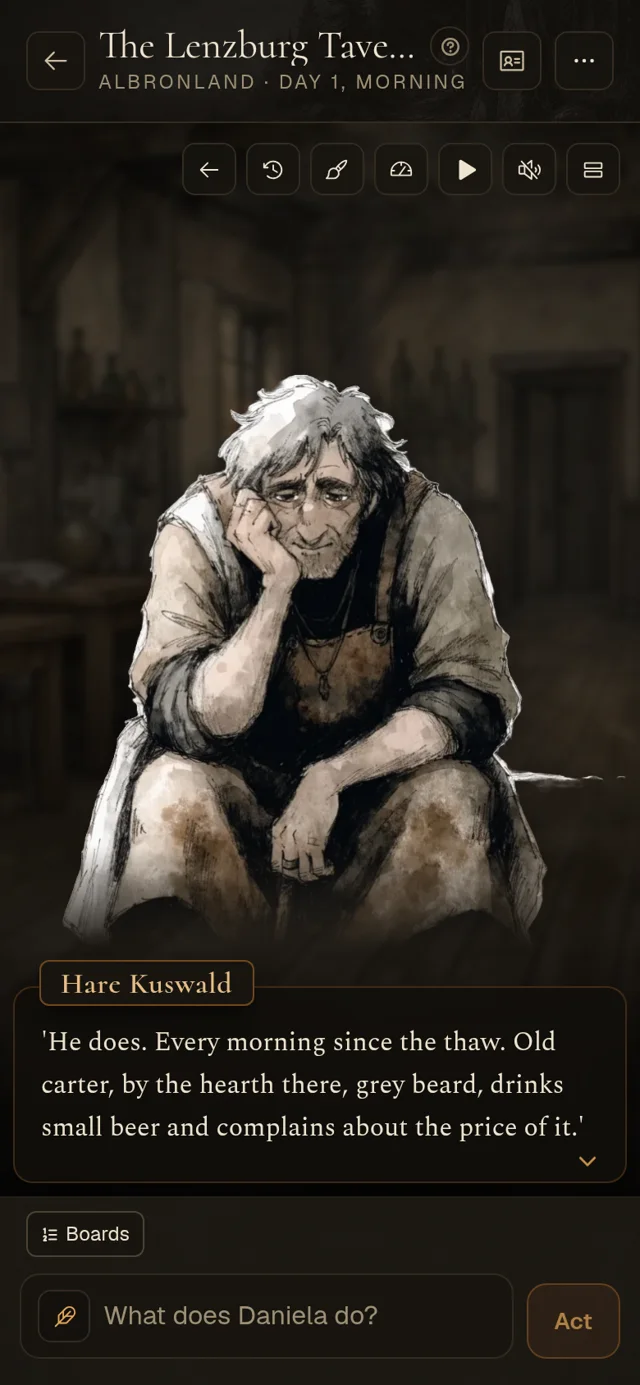
The visual novel is another way to read your story. The people in the scene stand on a stage over a painting of the place, and each turn plays out a few sentences at a time in a text box at the bottom. Your story is the same either way; the visual novel only changes how you read it.
Turn it on with Visual novel, in the header above the story (on a phone, the ⋯ menu, then Visual novel). Your choice is remembered on this browser. Story view, at the top right of the stage, switches back.
A few moves into play, a small card under the Visual novel button points it out once.
Who and what is on the stage
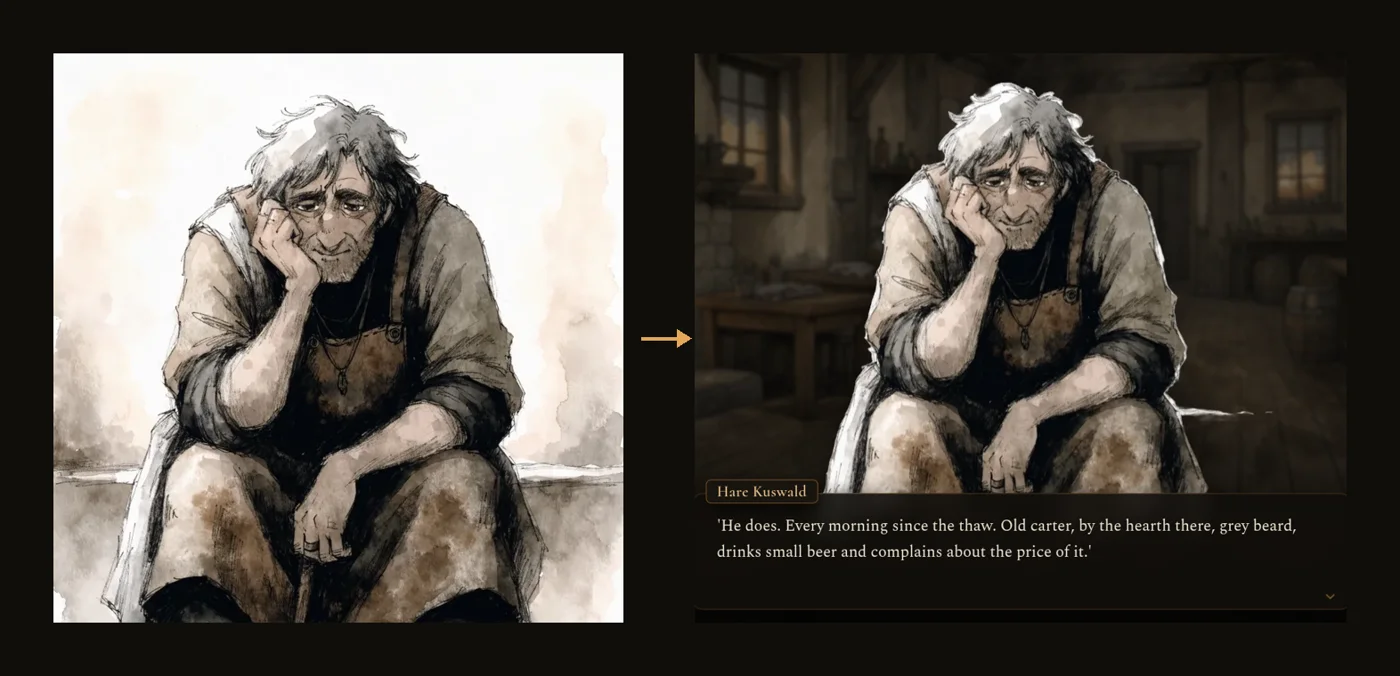
- Everyone who speaks is cut out of their portrait and stands large in the scene, up to three at once: whoever is speaking in front and lit, the others dimmed behind.
- When you act, your own character stands alone on the stage with your move, and so does anyone in your party when they act.
- Behind them is a painting of the place: one of 100 painted backdrops (40 fantasy, 30 present-day, 30 sci-fi), picked for the place the first time the stage opens there and kept. They are empty of people, so the speakers stand out. Engine
- When the storyteller paints a picture of a moment, it fills the stage for that beat, then the place comes back.
- The light follows the hour, softer indoors. Outdoors, rain, a storm, snow or fog fall when the scene describes them.
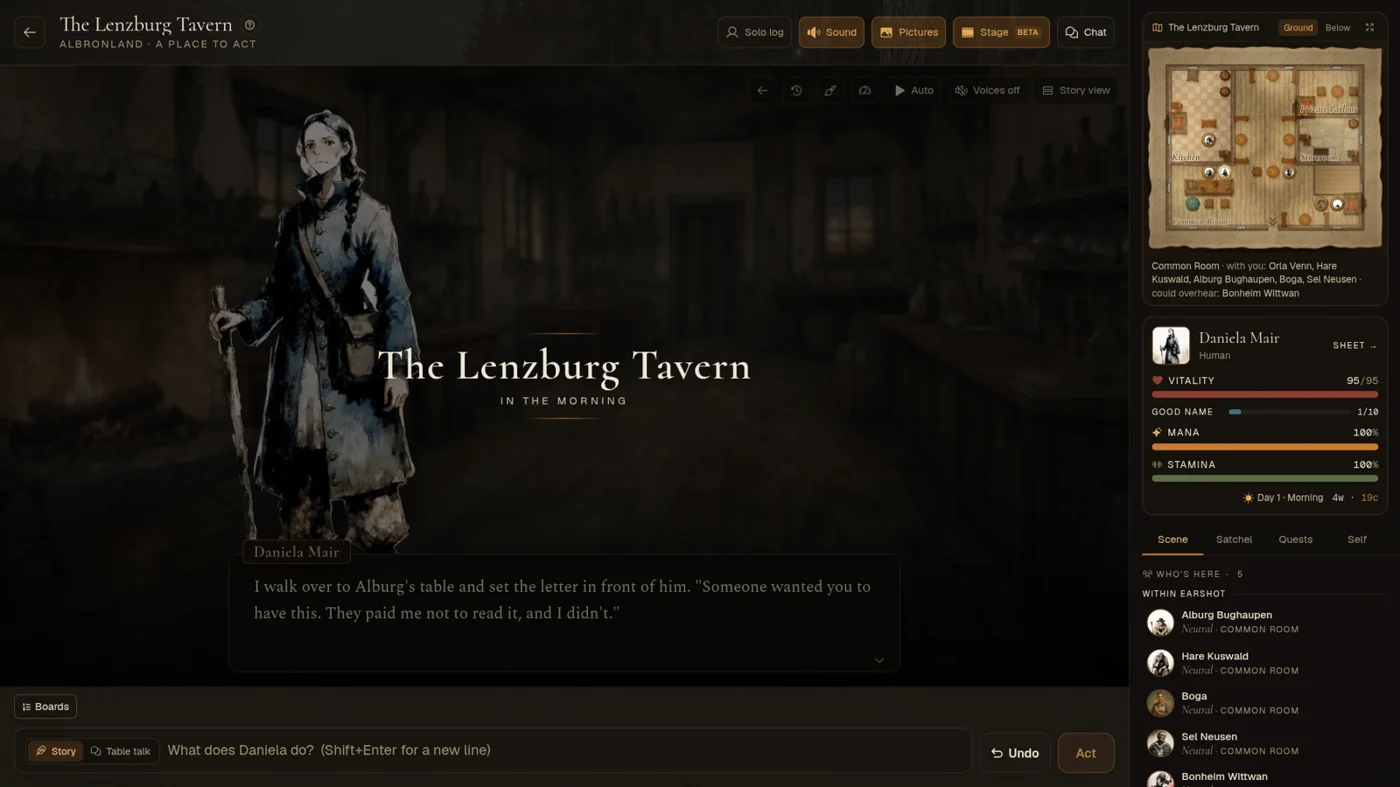
- Arriving somewhere, the stage shows the place's name and the hour. Through a doorway, it opens on your arrival, not on your last move in the room you left.
Reading
A turn plays a beat at a time: a few sentences, the words fading in. When a beat has finished, a small arrow at the bottom right says there is more; at the end of the turn it says Your move.
| Control | What it does |
|---|---|
| Tap the stage, Space, Enter or → | The next beat (or the rest of this one, if it is still appearing). |
| Back a line, or ← | The beat before. |
| History | Every line so far, newest last. Tap a line to go back to it; a voiced line has a button to hear it again. |
| Text speed (in the ⋯ menu) | Slow, normal or fast: how quickly the words appear, and how long Auto waits. |
| Auto | Reads on by itself. A line about coin, a blow or a roll shows a moment and Auto carries on; something that needs you, like a doorway, waits. |
| Hold the stage, or hold Ctrl | Runs through lines you have already read, and stops where you got to. |
| Voices | Reads what people say aloud (see Voices below). |
| Story view | Back to the ordinary story view. |
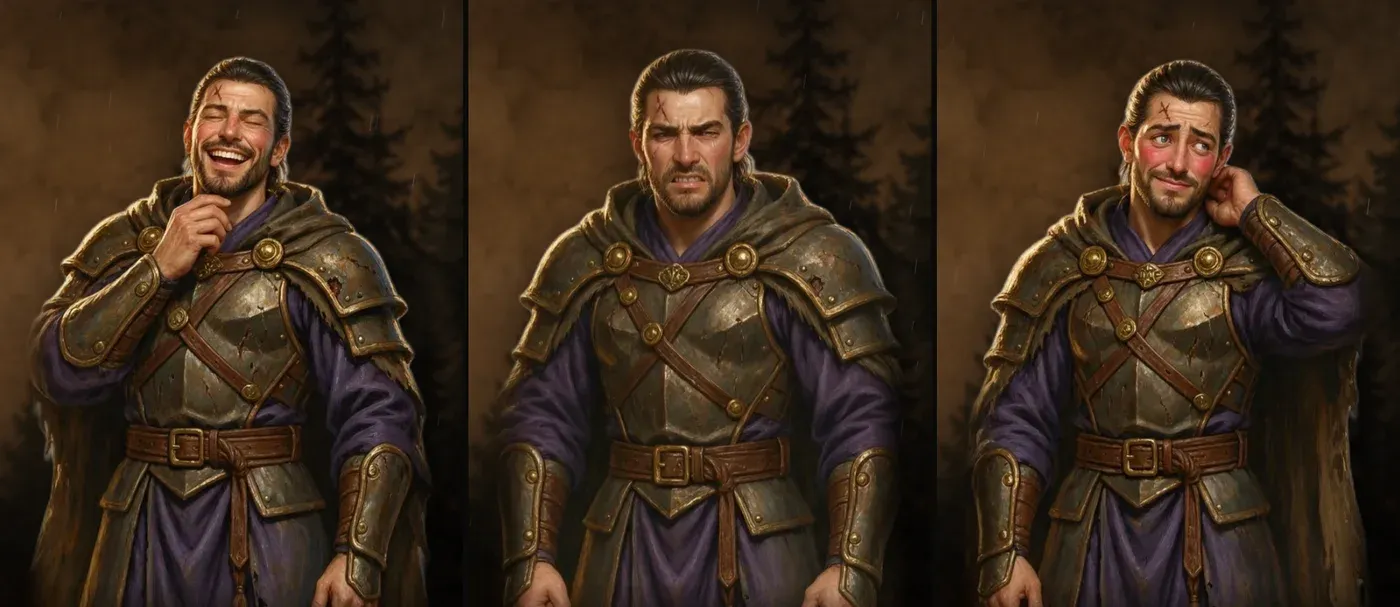
Faces react: each speaker moves with how their line lands, angry, amused, wary, afraid and so on. Someone with an expression set changes face as well.
While the world is answering, a small line under your move says what it is doing, as in the story view.
Your move
- At your move, the turn's ideas stand over the scene. Picking one puts it in your box, so you can change it before you send. You can always write your own.
- When something waits on you in the story itself, a roll to throw, an offer to answer or a party round to declare in, the stage steps aside and comes back after.
- Playing together, a party member's move stands on your stage while the world answers them, with a line saying what it is doing; their reply then plays like any other.
More on turns: Playing a turn, Playing together.
Someone with no portrait yet
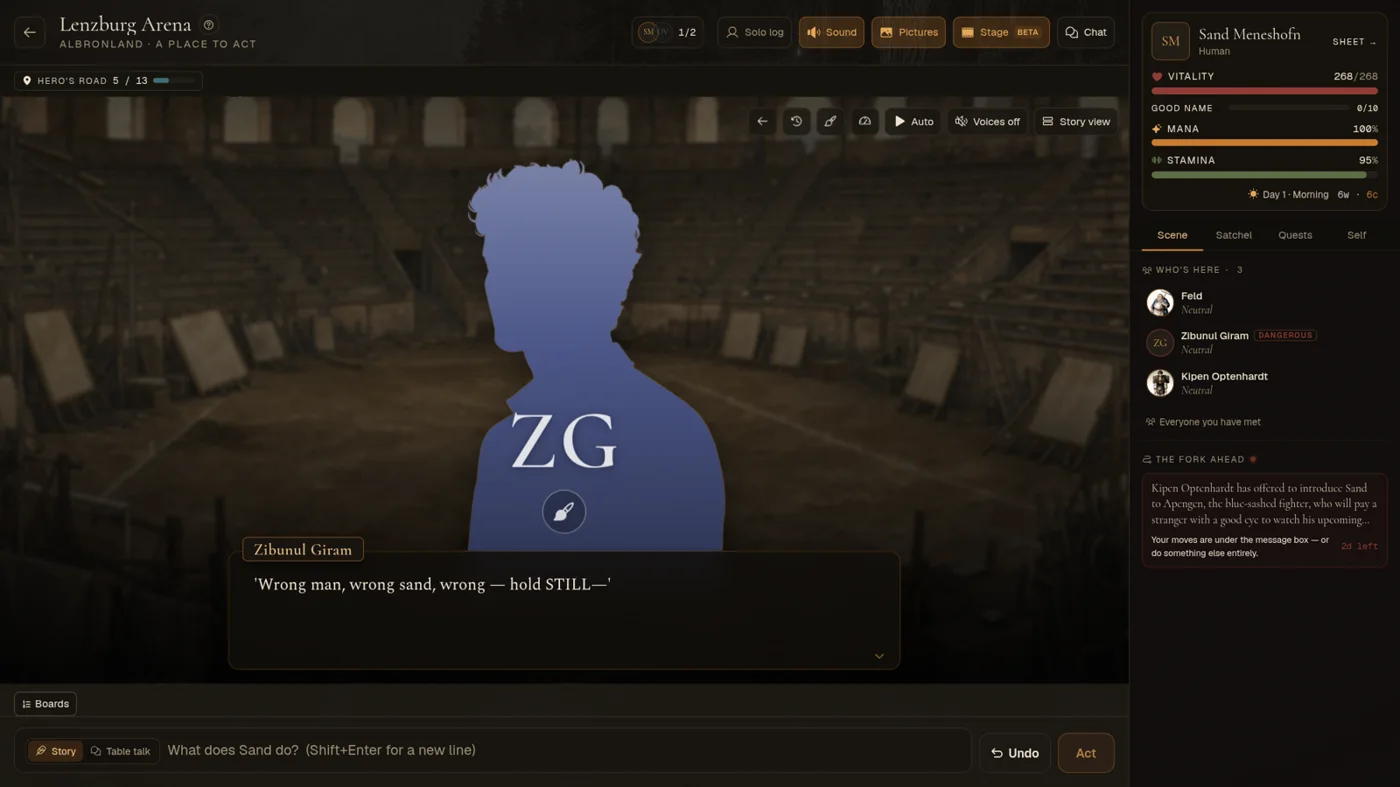
Someone without a portrait stands as a coloured silhouette with their initials, shaped for who they are: a man, a woman, someone in between, or a creature. They keep the same shape and colour every time.
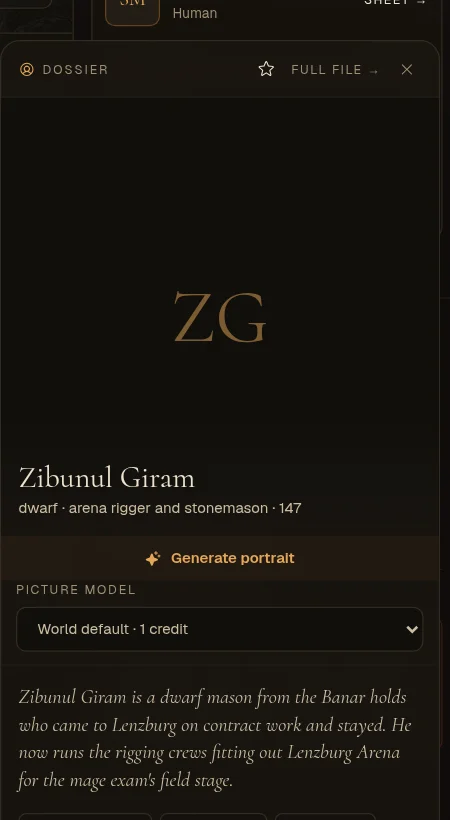
Tap the brush on the silhouette's chest to open their page, where you can paint a portrait. The new portrait takes their place on the stage straight away, and the lines they have already said show it too. A tap anywhere else on the figure reads on, as on the rest of the stage.
Expressions
Anyone on the stage can have a full set of expressions, painted from their portrait: 16 of them, from calm and warm to crying, wary and weary. Their face follows the mood of each line, and they keep it while others talk. If a mood has more than one picture, the stage alternates between them. Without a set, the portrait itself stands on the stage.
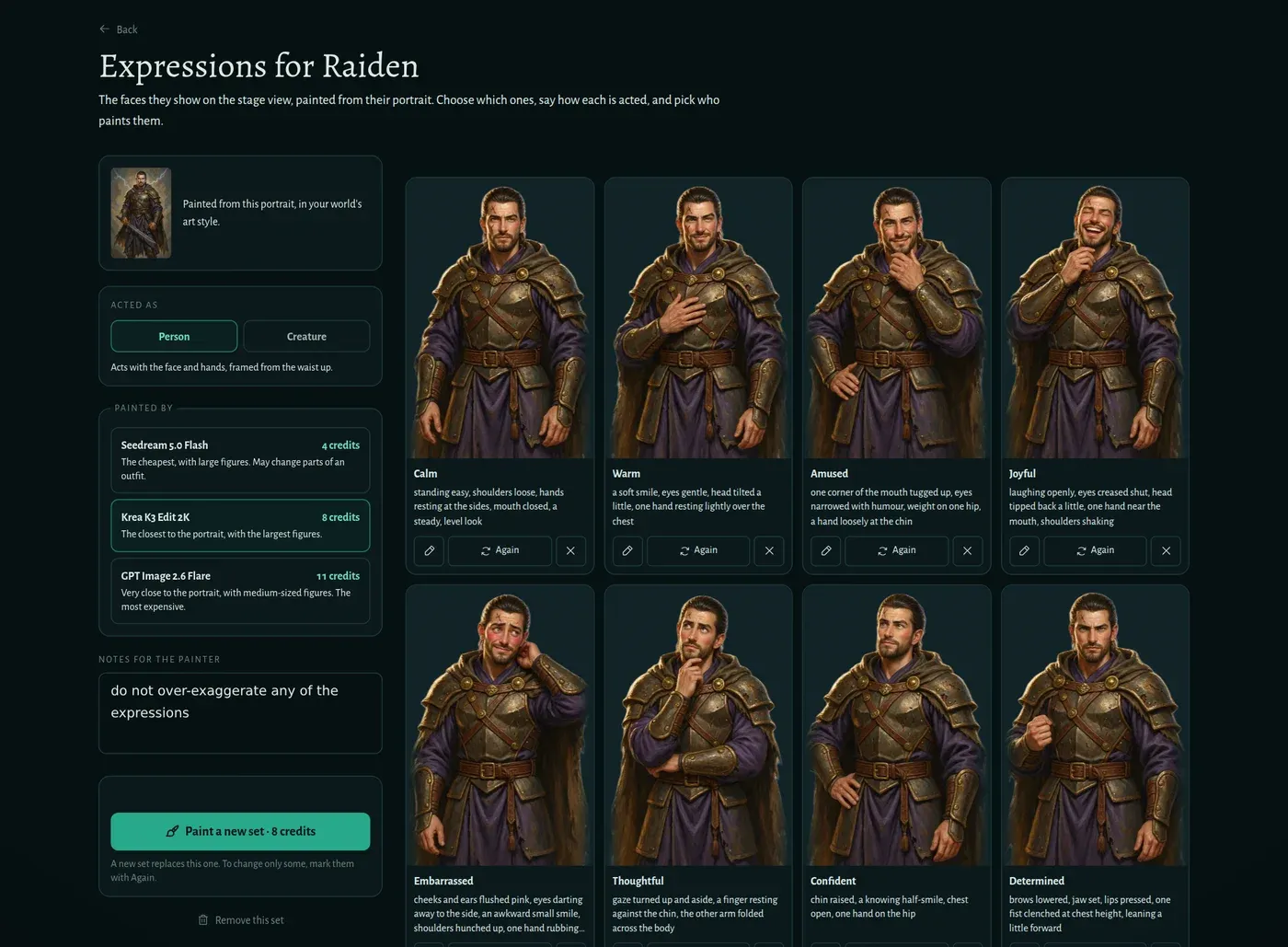
Press Expressions for the visual novel under a portrait, on your character's page or an NPC's. A set takes about a minute to paint, and you can leave the page while it does.
- All 16 start selected. Remove any you don't want, or reword how one is acted.
- Add your own: give it a name, say what the face and hands are doing, and choose which mood it plays on the stage. Describe what we'd see rather than naming the feeling, or the name can end up written on the picture.
- Notes for the painter apply to every picture, such as "keep the gloves purple".
- Person or Creature: a person acts with the face and hands, a creature with its eyes, jaw and neck, and it keeps the eyes from its portrait. The page guesses from the race, and you can switch it.
- Again: mark the faces you don't like, and only those are repainted. A new set replaces the whole set.
| Painter | A set of 16 | What it's like |
|---|---|---|
| Krea K3 Edit 2K | 8 credits | The closest to the portrait, with the largest figures. The default. |
| Seedream 5.0 Flash | 4 credits | The cheapest. It may change parts of an outfit. |
| GPT Image 2.6 Flare | 11 credits | Very close to the portrait. |
Sets are paid in credits, even in a world on its builder's own key. If a painting fails, its credits come back.
An NPC's set is shared with everyone in that world. If someone else painted that NPC's portrait or current set, only they or the world's builders can change it. A new portrait needs a new set, because the stage only uses a set painted from the portrait someone has now.
Painting a place
If none of the 100 backdrops fits a place, the stage shows a plainer one and offers to paint the place for 1 credit (Paint this place, in the ⋯ menu, repaints it later). The painting is kept on the place, so everyone who plays there afterwards sees it for free.
If two people ask at once, only one pays. If the painting fails, the credit comes back.
Voices
With Voices on, only what people say is read aloud: each person in their own voice, in the mood of their line. Narration and what people do stay on the page. A turn's lines are voiced together once the turn has landed.
| Where | Cost |
|---|---|
| In the visual novel (spoken lines only) | 1 credit for every two voiced turns |
| Voicing a whole scene in the story view | 1 credit a turn |
Lines you have heard before replay free, and a turn with nothing new to voice costs nothing. Players, keys and costs.
The storyteller writes for it
With the stage on, the storyteller writes your turns for it: every spoken line goes to the person who says it, so it gets their face and voice, and narration comes in short beats. Your pacing, reply length and story settings stay as you set them. Another player in the room who reads the story view gets the same turns. Storyteller
Phones, dungeons and fights
On a phone the visual novel has big figures and a text box at the bottom.
When a dungeon or battle map takes most of the screen, the stage reads compact: the figures step aside, the line fills what is left, and your choices sit under it as small buttons.
In a dungeon or a fight on a map, the arrow keys walk the map; Space, Enter and tapping the stage still read on. Dungeons.