Worlds you can see
Painted scenes become plates you can share and save, people show their faces as they speak, plugins can change the play screen, and every world has a look of its own.
Four updates over the last few days, and all of them are about what's on your screen while you play. The pictures the storyteller paints are now keepsakes you can share. The people you talk to show their faces. Plugins can change the screen itself. And every world can wear a look of its own.
Pictures worth keeping
When the storyteller paints a moment, tap the picture and it opens as a plate from an old book. You get the picture in a printed border, the moment written beneath it, who is in it, where it happened and when.
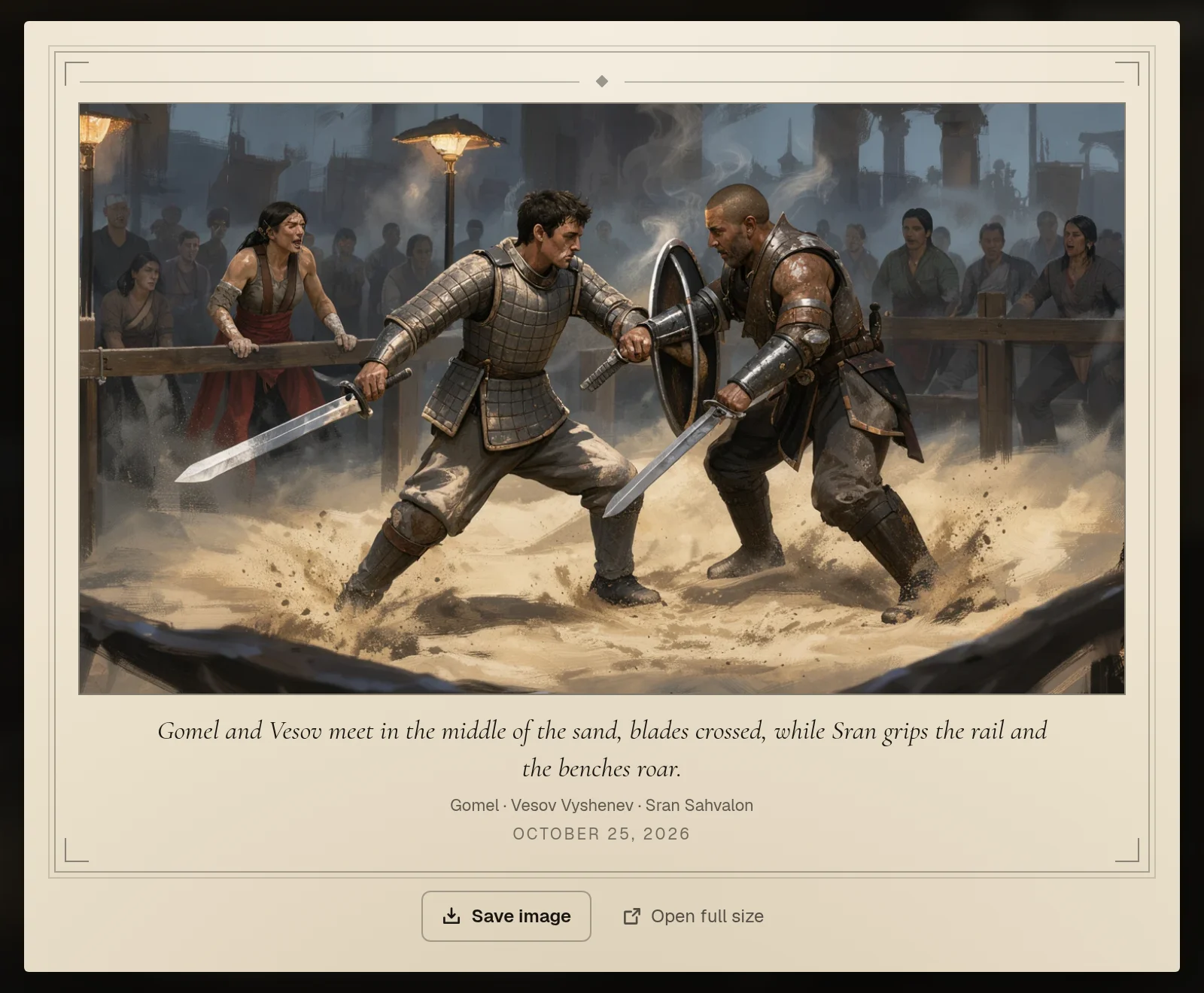
- Share it. Every picture has its own link. Copy it, or send it from your phone's share sheet. The link opens a page with the picture that shows up as a picture card in Discord, on social media and in chats, so your friends see the moment and not just a URL.
- Save it. Save image puts the file in your phone's photos, or downloads it on a computer.
- Find it again. Pictures painted in play now go to your character's Gallery too, marked "From play" with the place they were painted, beside the scenes you painted yourself. Your Story So Far book picks them up as well.
A shared page names the world, with a link to it, only when it's a published world anyone can find. A picture from a private world never names the world it came from.
Faces in the story
When someone speaks in the story, you now see who it is. Each time the speaker changes, their portrait appears beside their words in a frame, zoomed to the face. In a long conversation it comes back now and then, so you don't lose track of who's talking.
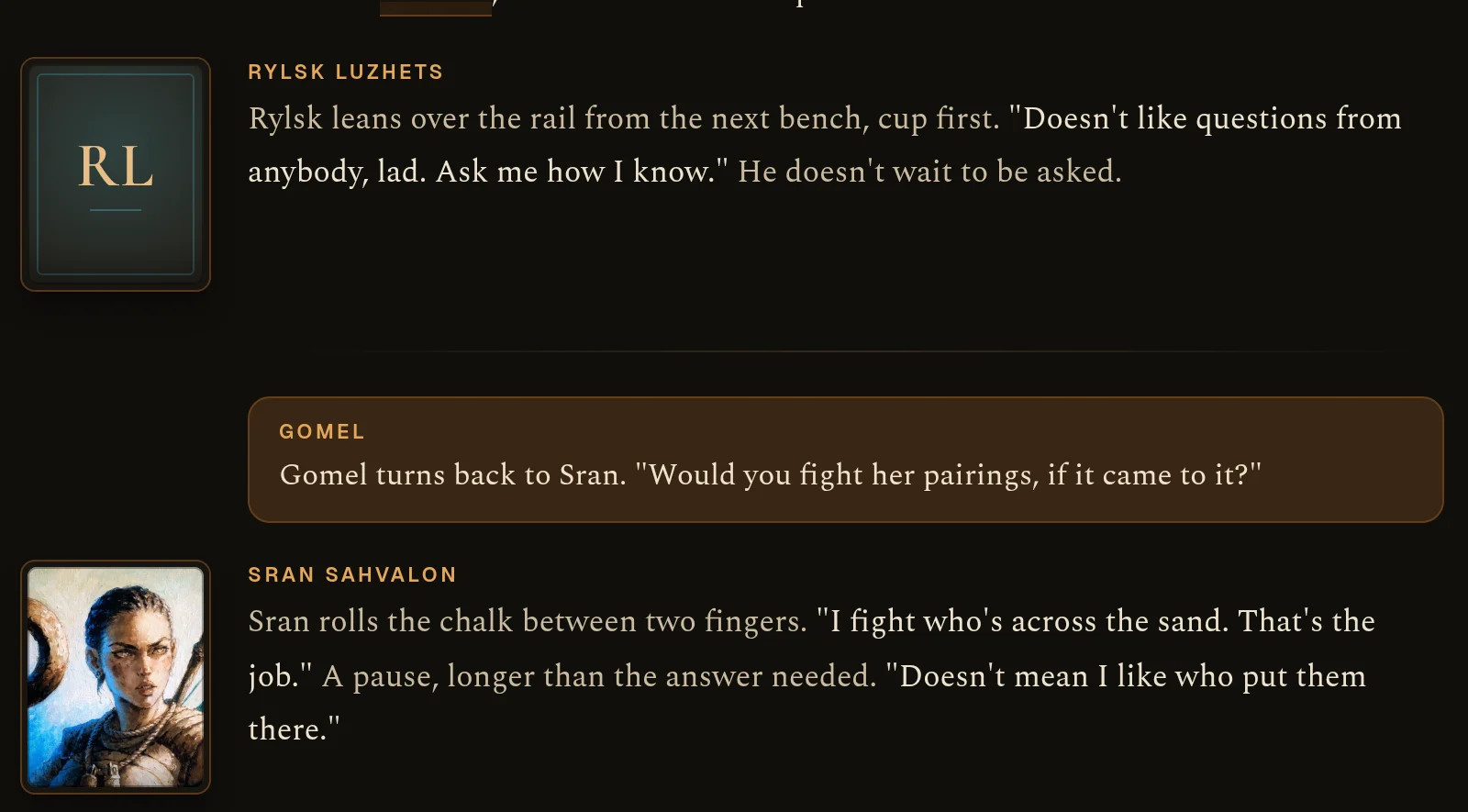
A character without a portrait gets a stand-in in the same frame (their initials on a tinted plate), so a scene with a mix of both still looks like one page. Between the framed passages, the small round portrait beside each line is zoomed to the face too.
Plugins can change the screen
Plugins are the small programs that make a world's own rules happen (they're open to every builder in Beta). Before, a plugin could put a card in the story or add a section to your sheet. Now it can change the play screen itself:
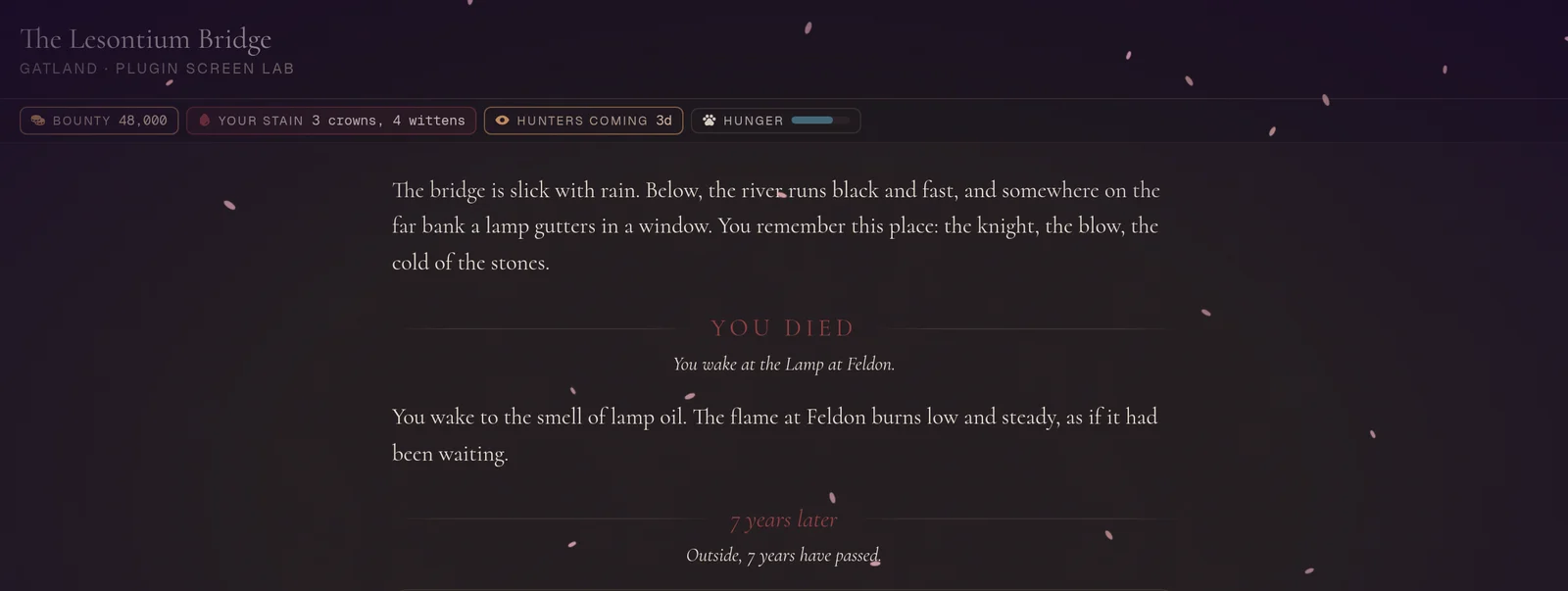
- Chips under the room's name. A bounty, a hunger bar, or a countdown on the world's clock that throbs on its last day. Tap one for a note.
- The mood of the screen. A colour wash, dark edges that can beat like a heart, and weather: rain, snow, embers, ash, fog, drifting motes, petals, leaves or stars. If your device asks for reduced motion, the screen stays still.
- Big moments. A full-screen title for a death, a new place, years passing, a title earned, or an omen. It plays once, then stays in the story as a chapter mark.
- Notices. A note in the corner for you, for everyone in the room, or for everyone playing the world.
- The box you type in. Its prompt, a line about the rules here, and suggested moves you can tap.
The official worlds already use them. Die in Kelister and the screen goes dark with YOU DIED, then wakes at the Lamp. A fae revel in Telora shimmers, and leaving it can read "Seven years later". Treva shows your bounty. In Cydanas the hunters' countdown runs down while the edges of the screen beat red. And when someone claims a world first in Yavaria, everyone playing hears about it.
Builders: these are in the plugin guide, and Hob can add them to your plugins for you.
Every world its own look
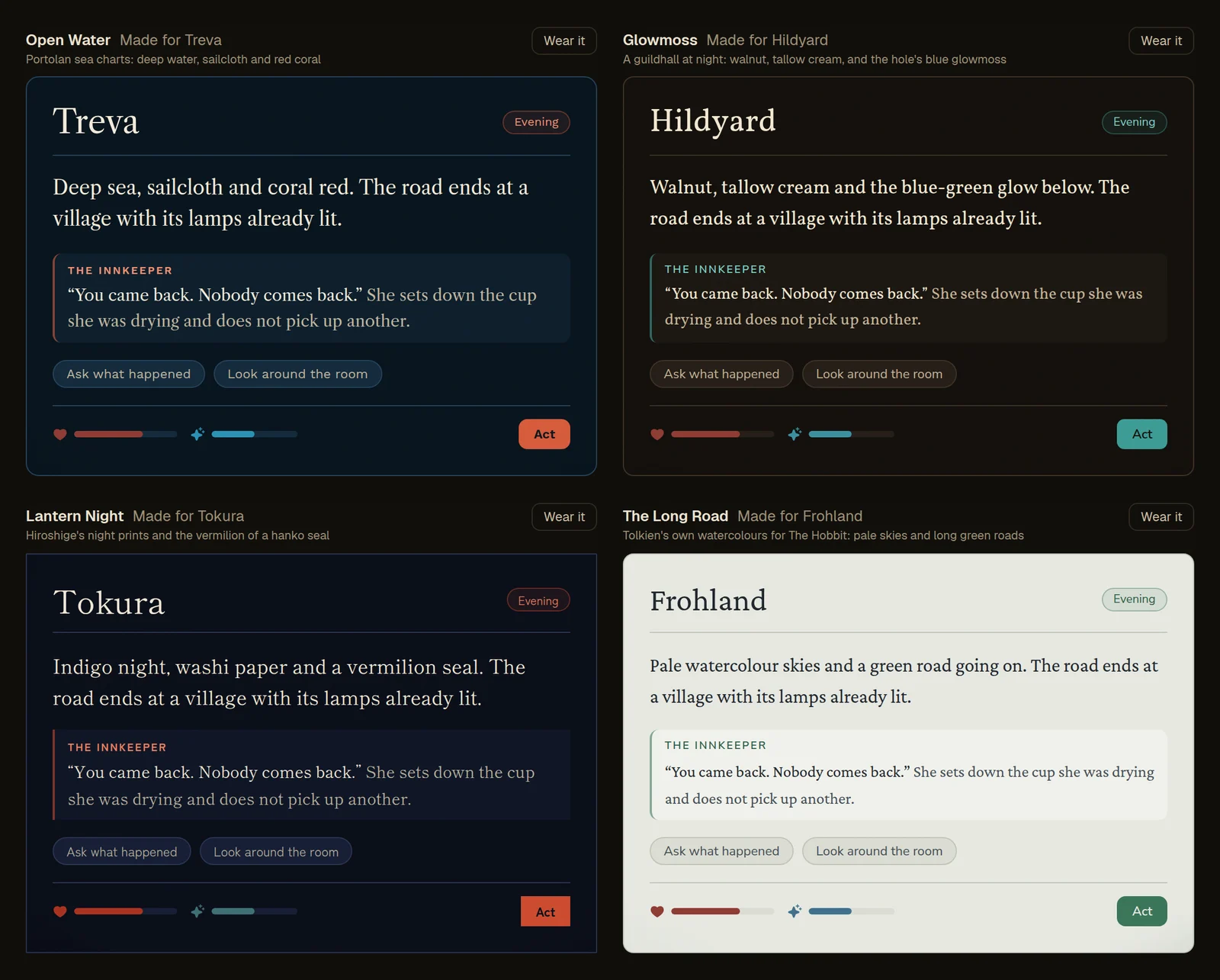
A world now has its own look: its colours, its typefaces, even how rounded its corners are. You see it on the map, in the story, on your sheet and in the codex, and Worldtable's own pages keep theirs.
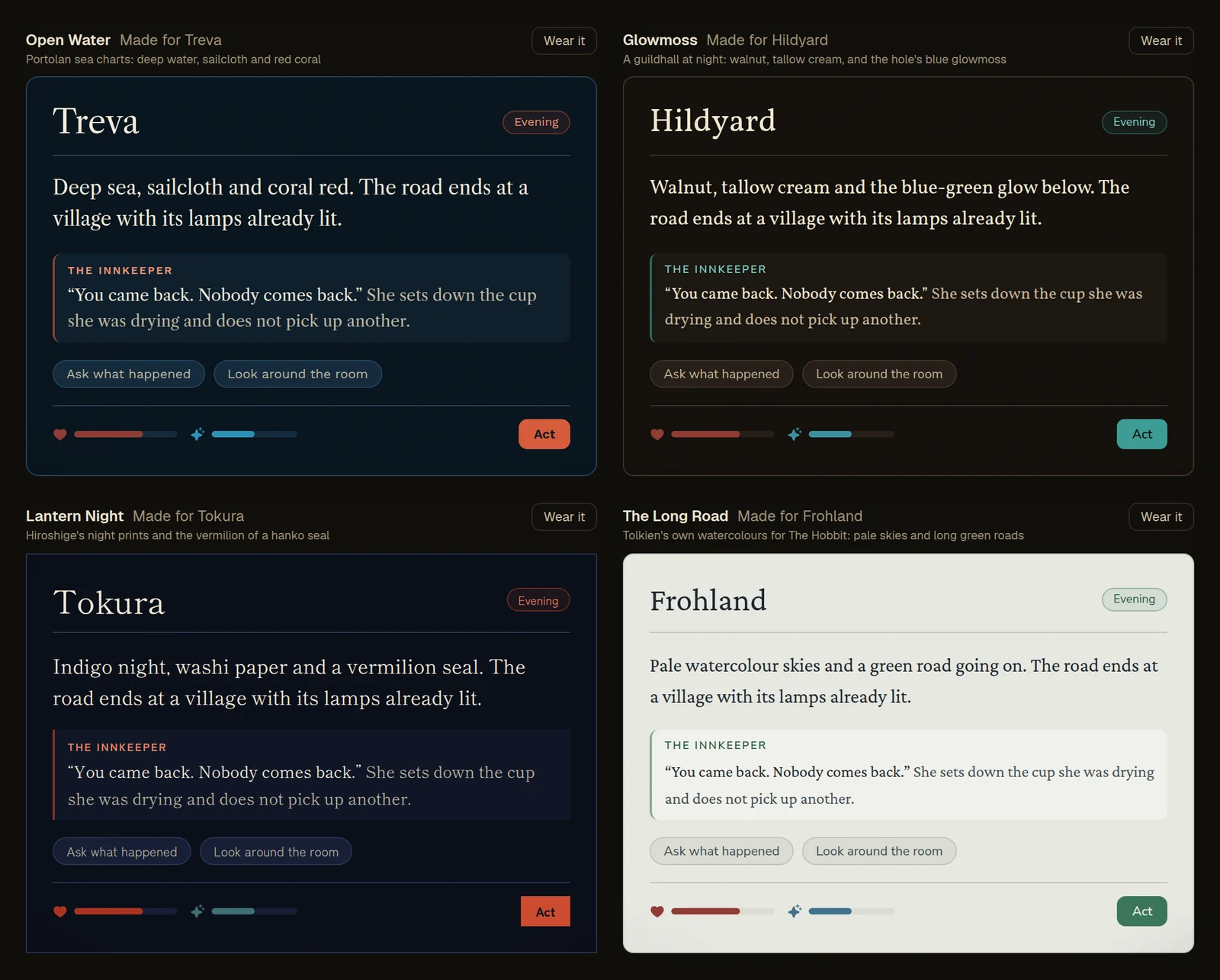
Each official world has a look made for it, drawn from the art it's closest to:
- Kryvan March: Birch & Cinnabar. Smoke-black cottages, birch bark and folk-tale red.
- Kelister: Ash & Gold. Soot and gold leaf under a dying sun.
- Telora: Moonlit Court. Night blue, moon-cream and a rose on the snow.
- Treva: Open Water. Deep sea, sailcloth and coral red.
- Hildyard: Glowmoss. A guildhall at night, and the blue-green glow below.
- Tokura: Lantern Night. Indigo night, washi paper and a vermilion seal.
- Frohland: The Long Road. A light look: pale watercolour skies and a green road going on.
- Yavaria: Blue Window. A dark nave and a pale blue window.
- Cydanas: Deepglow. Black water and the things that glow in it.
Builders: pick your world's look in Studio › World › Look. Each choice shows itself, and a sample of the story page shows your world's own name and opening the way players will see it. Then Make it your own: set your own background, text and accent colours, choose the typefaces for headings, reading and buttons, and choose sharp, soft or round corners. The Studio warns you if text would be hard to read. Hob can set it for you too: "make it feel like a frozen court".
Players: prefer one look everywhere? Open the menu and choose Look. Keep each world's own look, or wear any of them (or Worldtable's classic) in every world.
If something looks wrong in your world's look, or a picture won't open or share, tell us in Discord. A screenshot helps.