Plugins can open windows now
Plugins can now open panels: windows with lists, picks, fields and buttons. A shop that knows your purse, a crafting bench, a branching conversation, a contract to sign.
A world's plugins could already put a card in the story, a chip under the room's header and a section on your sheet. A card holds four buttons, though, and some things need more room: a shop with twenty wares, a crafting bench, a contract to fill in.
Now a plugin can open a panel: a window of its own that you work in while you play. The plugin decides everything in it, and what you pick goes straight back to the plugin.
What goes in a panel
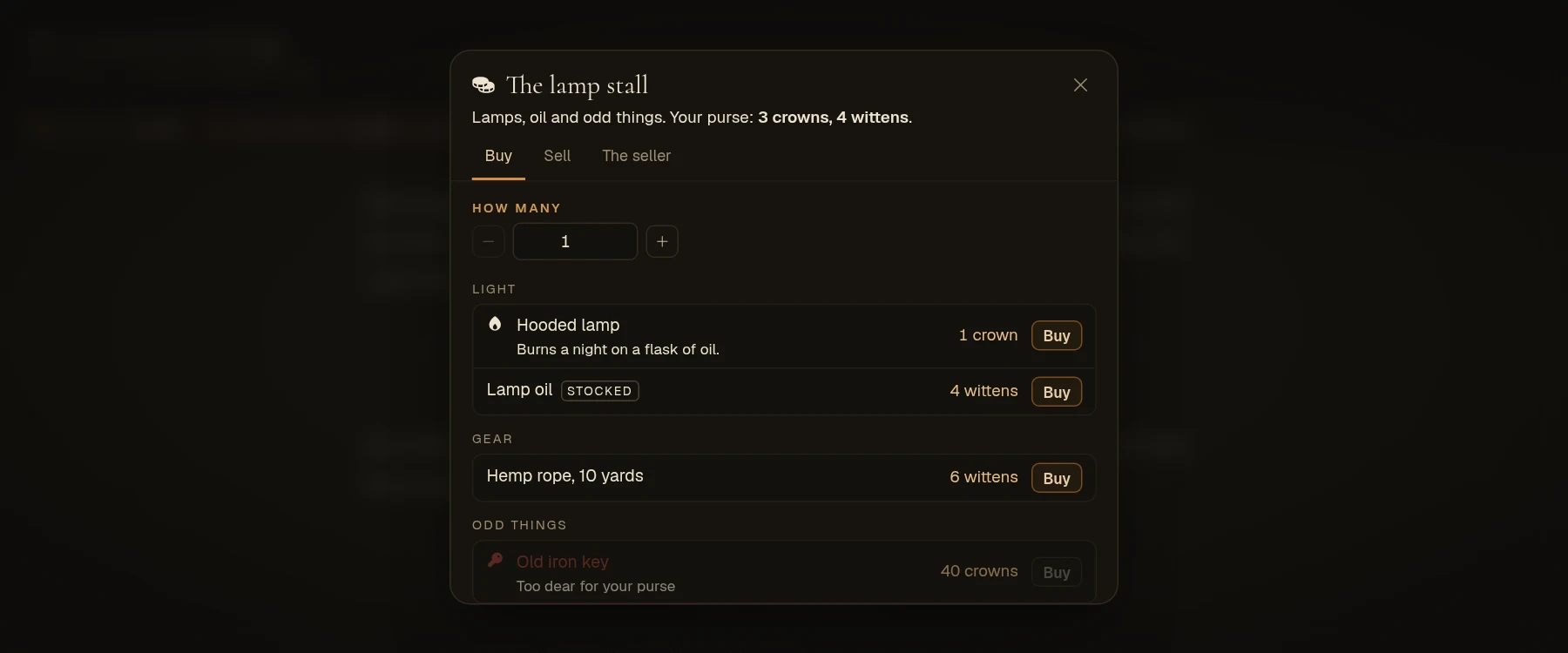
- Lists. Rows with a price or a count, a short note, a badge and a heading over each group. Each row can carry its own buttons, so a shop has a Buy on every ware and a trainer a Learn on every skill. A row can be greyed out with the reason ("Too dear", "Needs Fire II").
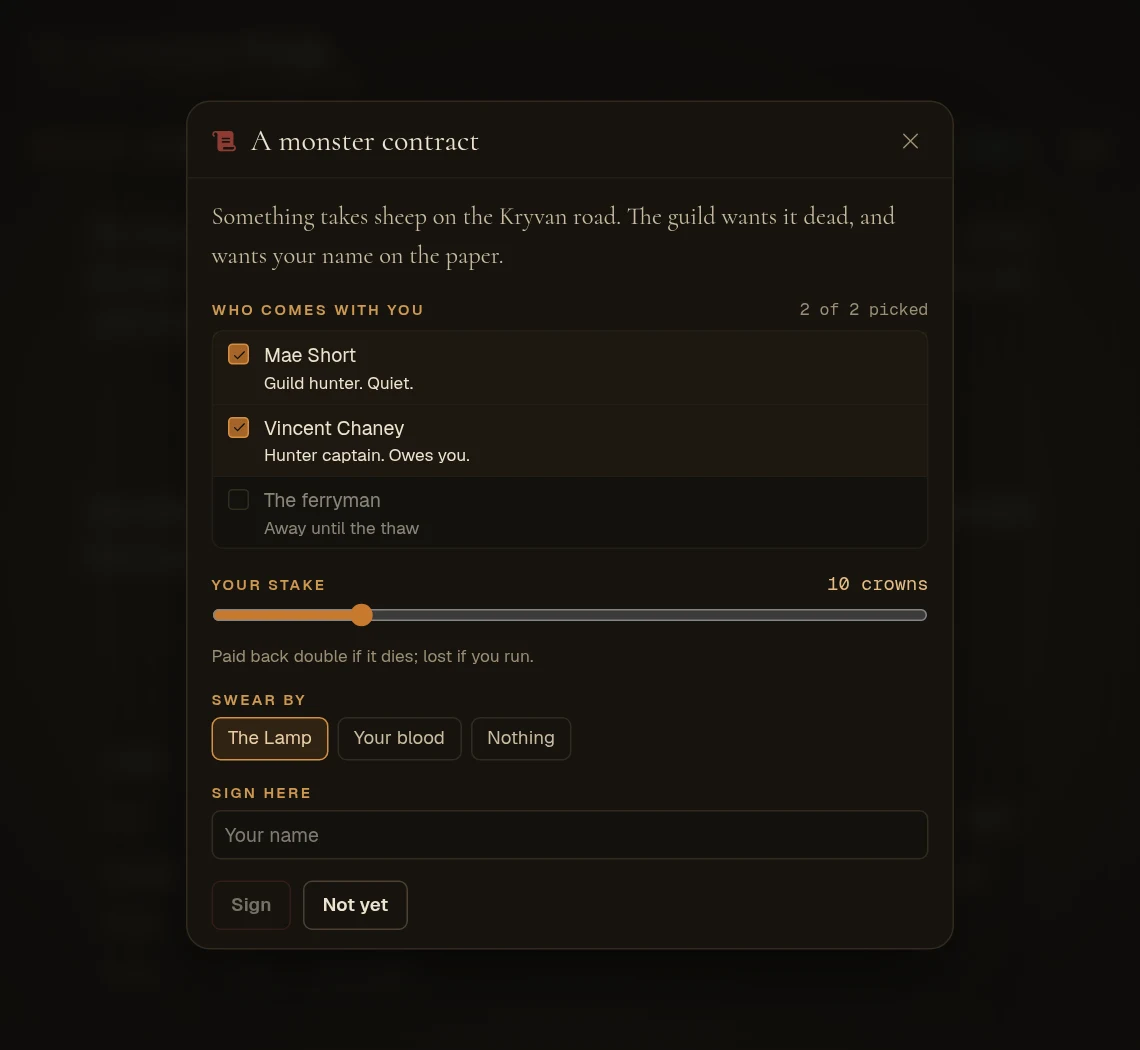
- Picks. A list can let you pick one row, or several up to a limit: two ingredients, a crew of three.
- Fields. Words to write, a number with − and +, a slider, a choice of a few, an on/off switch.
- Buttons. A button can wait until what it needs is picked or filled in, ask "Are you sure?" first, and close the panel once it has run.
- Tabs and stats. Up to six tabs, and stats with bars for a quick look at where you stand.
When the plugin changes the panel while it's open (coin spent, stock sold), you see it change in place.
Some things a world can build with one
- A shop that knows your purse. Wares grouped by kind, how many to buy, a Buy on each row, and anything you can't afford greyed out. A Sell tab lists your pack: tick what you want to part with, and the shopkeeper's offer is one tap away.
- A crafting bench. Pick exactly two things from your pack and press Craft. The plugin decides what they make.
- A conversation that branches. Each reply is a row. Pick one and the panel turns into what they say back, with new replies. A reply you can't give yet ("Show them the signet") is greyed out until you carry the signet.
- A contract to sign. Pick who comes with you, slide your stake, choose what you swear by and write your name. Sign stays grey until it's all filled in.
- A trainer. Every skill of a school in one list, each with what it costs, and Learn only where you meet what it asks.
- A ferry or a coach. Every landing you know, with its fare. Pick one and you're there.
- A vault. What you have in it and on you, how much to move, Deposit or Withdraw.
- A board for everyone. Contracts or wares that every player in the world adds to and takes from.
A panel opens from its own button above the box you type in, from a chip under the room's header, from a button on a card in the story, or by itself when the moment calls for it, like stepping into the smithy.
For builders
Ask Hob for one in plain words: "when someone walks into the market, give them a stall where they can buy lamps and oil, and sell what they carry for half." Hob builds the panel, the buttons and what each one does, and tries it on your character before anyone plays it.
If you write plugins yourself, it's one call, wt.ui.panel(character, id, panel). A button runs one of your plugin's commands, and what the player picked and wrote arrives as e.values, already checked against the panel: rows that are really there and not greyed out, choices you offered, numbers inside your bounds. The plugin guide in the Docs has the whole shape and a worked shop.
The official worlds don't use panels yet. They will.