
Building a world
The play screen
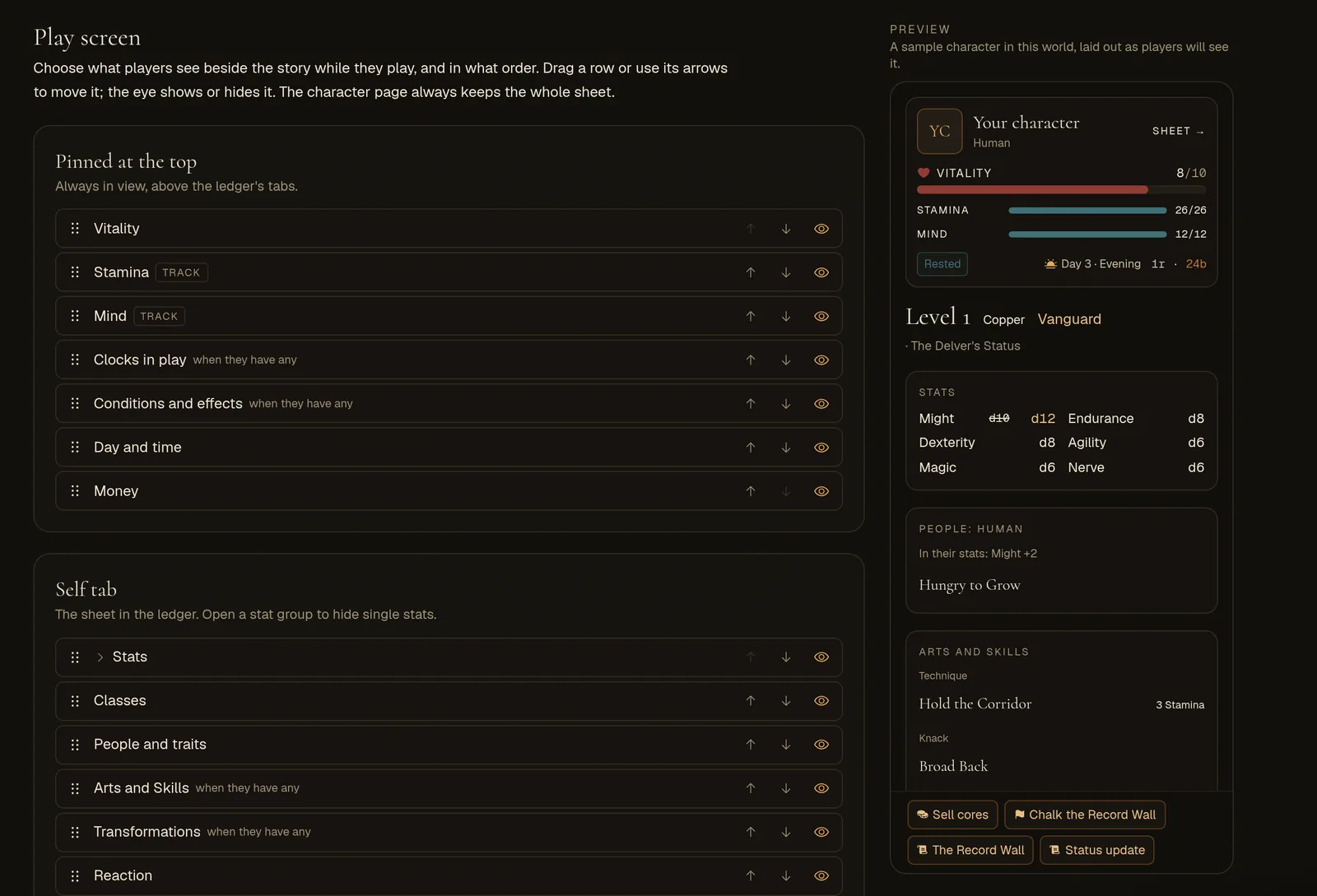
Choose what players see beside the story: the pinned block, the Self tab's sheet, single stats, and your plugins' chips and buttons, in your own order.
What it is
While they play, players keep a ledger beside the story: a block pinned at the top with their health and what they can run out of, four tabs under it, a row of chips under the room's header, and a row of buttons over the input box. The Play screen tab is where you decide what goes in each, what stays out, and in what order. Use it when a sheet shows more than your players need mid-scene, when the one number that matters in your world is buried, or when your plugins add more chips and buttons than fit.
Open it in the Studio under Play screen. Owners and builders can change it. Nothing changes until you do: a world you never arrange looks exactly as it always has.
The four lists
Each list is one part of the play screen, top to bottom (or left to right for the chips and buttons). What a list holds depends on your world: its rule system, its magic, its plugins.
- Pinned at the top
- The block above the ledger's tabs, always in view. Health; each track your rule system defines (stress, stamina, hope); clocks in play; the storyteller's pools; mana and stamina in worlds that fight natively; conditions and effects; the day and time; money; and any section a plugin marks as a headline.
- Self tab
- The character's sheet in the ledger: the native powers (strength, magic and skills, where your world uses them), creation answers, each stat group, spell slots, classes, people and traits, abilities, transformations, standing orders, worked-out values such as Defence, worn gear, what they own, plugin sections, and phone contacts.
- Chips under the header
- The small chips your plugins keep in view at the top of the story: a bounty, a curse meter, a countdown.
- Buttons over the input box
- Your plugins' buttons, the buttons that open their windows, and Boards when your plugins keep any.
A few things always show, in their usual place, because a player needs them to play:
- The character's name and portrait, at the top of the pinned block, with the link to their full sheet.
- The sheet's heading (level, class, experience), advances waiting to be spent, the class chooser, the panel for learning abilities, the ability being held (concentration), and the sheet's footer.
- The chip that says a choice is waiting (a class to take, a level to place), first among the chips.
Moving and hiding
- Drag a row by the dotted handle at its start. A line shows where it will land.
- The arrows move a row one place up or down. They work from the keyboard too.
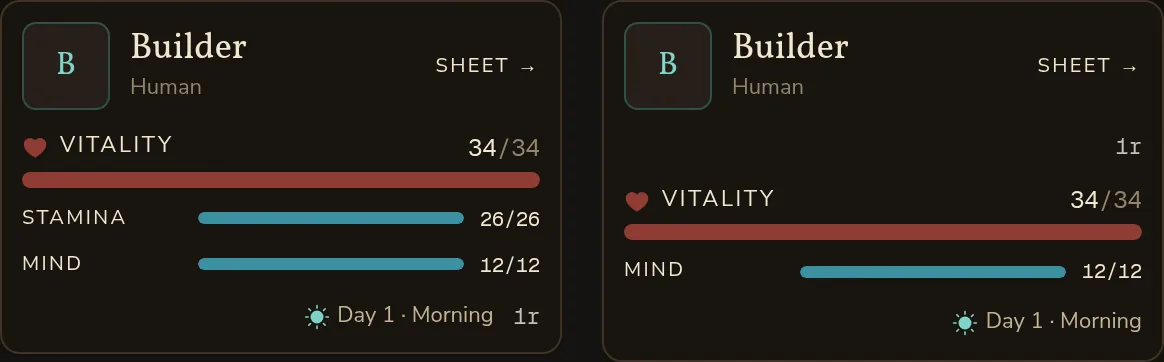
- The eye shows or hides a part. A hidden row stays in the list, struck through and marked Hidden, so you can bring it back where it was.
- Back to the usual puts one list back as it was before you touched it. On the Self tab it also brings back every stat and worked-out value you hid. It forgets parts you hid that aren't listed today too, such as a chip no character carries at the moment.
Changes save by themselves with the rest of your world, like every other Studio tab. Players see them the next time they open Worldtable or reload the page; a player already in the game keeps the old layout until then.
Hiding single stats
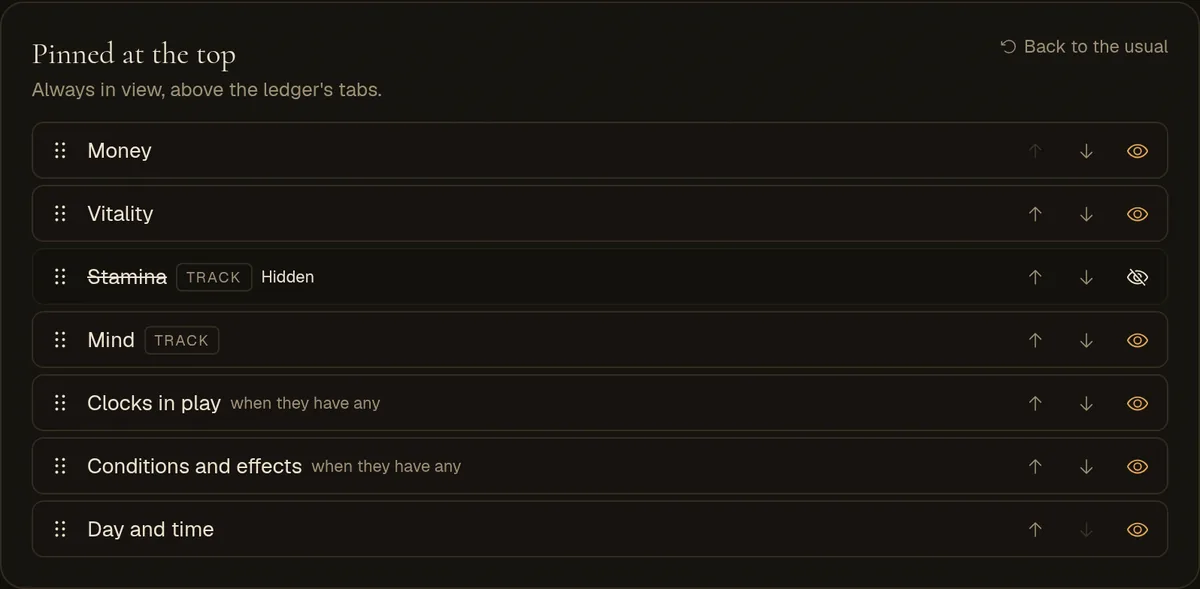
A stat group moves and hides like any other row: your attributes (headed Stats, or Abilities when your rules have skills), skills (under the attribute they lean on, or a group your rules name), and Ratings. To hide only some of a group's stats, open it with the arrow by its name: each stat has an eye of its own. A group with hidden stats says how many, as in "1 of 6 hidden". Hide every stat in a group and the group goes too.
Worked-out values (Defence, a save, anything your rule system works out from other numbers) open the same way.
What hiding does, and what it doesn't
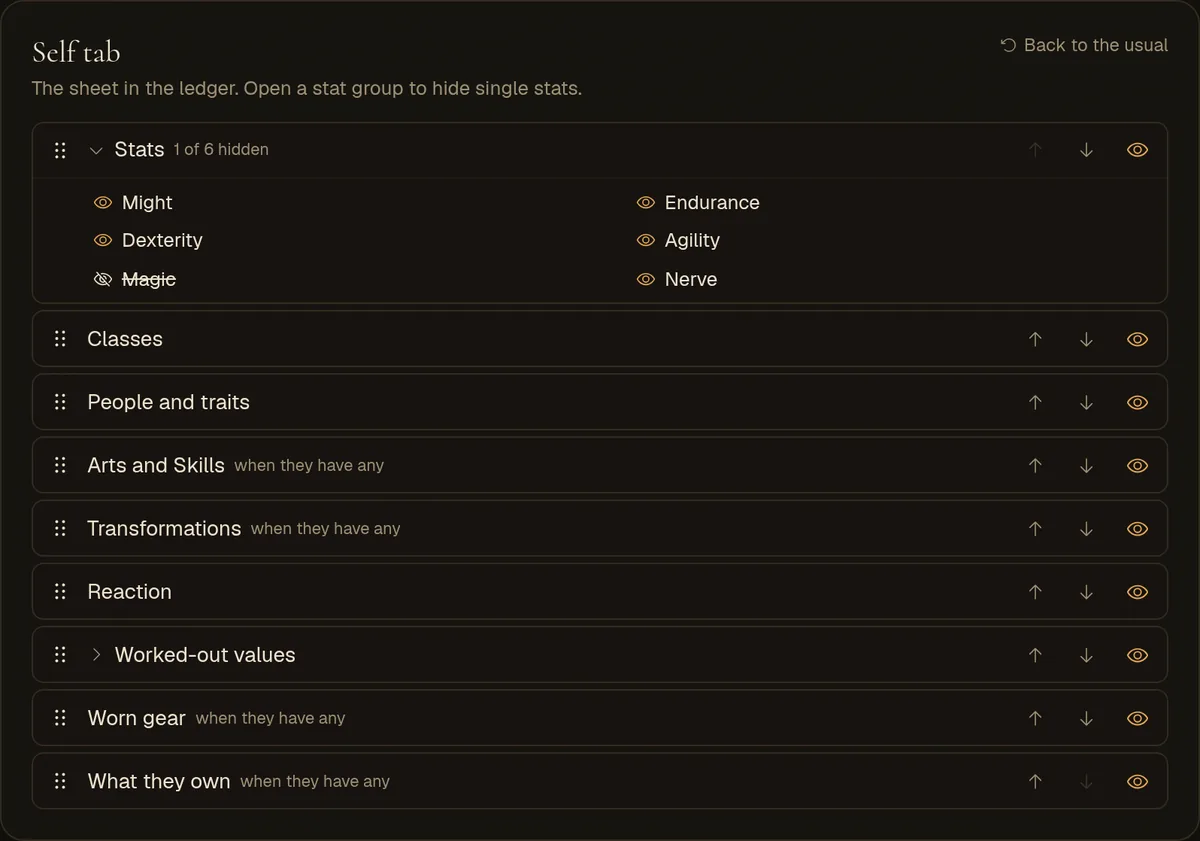
- A hidden stat is still rolled, still counts toward everything worked out from it, and can still rise.
- A hidden track still fills and empties. When it runs out, what your rules say happens still happens.
- The storyteller still knows the whole sheet and plays by it.
- Plugins still run. A hidden chip is still set by its plugin, and a hidden button's command still runs when something else asks for it, such as a card's button or a chip.
- The character page always shows the whole sheet. Hiding is a way to tidy the ledger, not to keep a secret from players. To keep something from them, leave it out of the sheet altogether.
Hide with care. A player who can't see their health or their conditions can't judge a fight, and one who can't see a track they spend can't plan.
Parts that come and go
Rows marked "when they have any" show in play only while the character has some: a clock running, an effect on them, an ability, gear worn, creation answers filled in. Their place in your order is kept for when they do.
The lists follow your world as a sample character has it (the one in the preview). A track is listed only if that character's maximum is above zero, so a track that opens at a higher level, such as later spell slots, may be missing; it still shows in play, in its usual place. Mana is listed only in a world with magic, contacts only in a world with the phone.
A plugin's chips, sheet sections and windows exist only while the plugin has them drawn for a character, so they appear in the lists while one of your world's recently played characters (its private tables' too) carries them. A chip the plugin has since taken away, like a countdown that ran out, isn't listed until it is drawn again. If one you expect is missing, play until the plugin shows it, for example in Playtest.
- Your plugins' commands are always listed, except the ones a plugin keeps hidden.
- A window has a row only if it has a button of its own. It has none when its plugin asked for none, or when one of the plugin's commands has the same label as the window's button, because that command opens it already.
- Boards is listed once your plugins keep a board.
Things you add later
You don't need to come back each time your world grows. Anything new (a track you add to your rules, a plugin's new chip, a new command) shows in its usual place: right after the part it normally follows. Move or hide it whenever you like.
An arrangement keeps parts the tab can't list today. A chip you hid stays hidden even if no character has it at the moment, and moving other rows won't bring it back.
A stat group is known by its first stat, not by its name. Renaming the group or its stats keeps your arrangement, and so does a language edition that translates them. If the group's first stat changes (you reorder its stats, add one ahead of it, or move a skill to another attribute), the group goes back to its usual place and shows again. Stats you hid one by one stay hidden. Check this tab after reworking stats in your rules.
A part you remove from your world simply drops out. Its place in your arrangement is ignored.
The preview
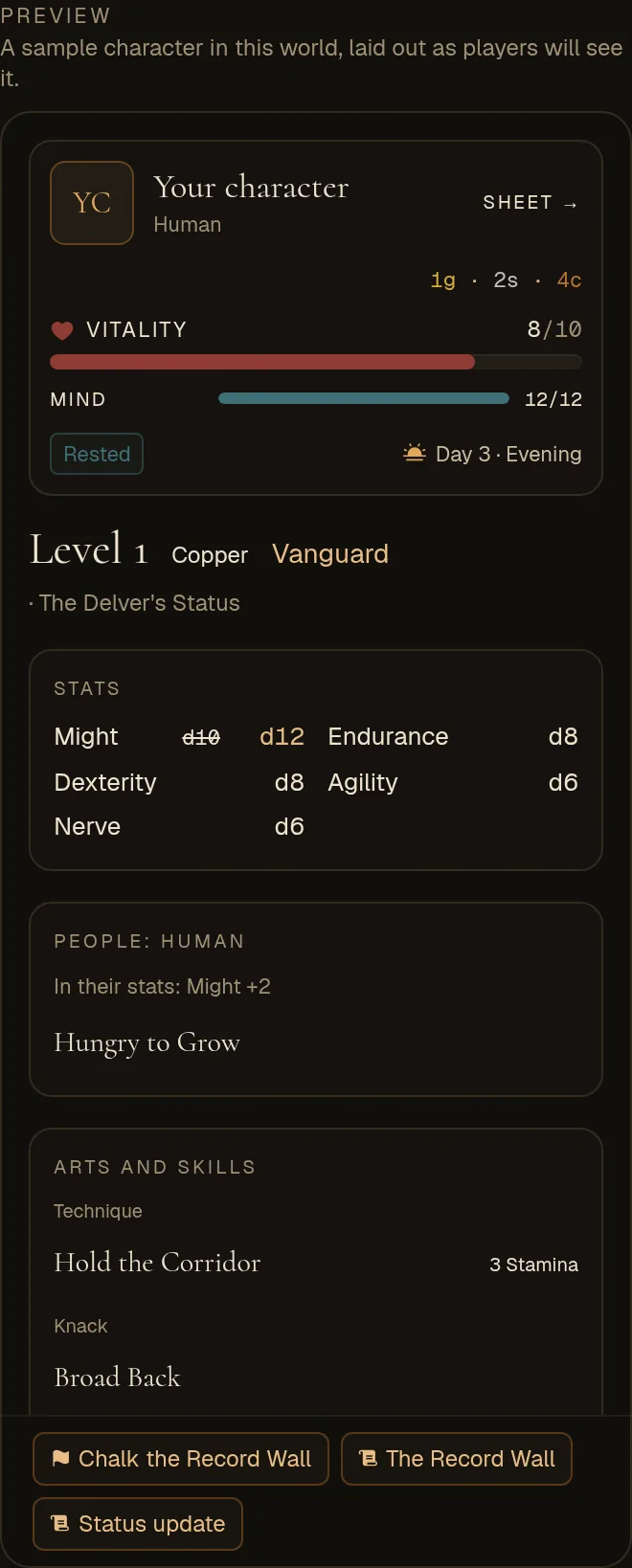
The preview draws a sample character with the play screen's own pieces. Its sheet is your own character's when you have one in this world under its rules; otherwise it is a new starting character of your world's first people. Its name, health, money, the day and one sample effect are stand-ins. Parts the sheet has none of yet (abilities, gear) don't show in it.
Your plugins' chips, sections and windows appear in it by name only, in the order your plugins give them, as the tab knows them. Nothing in the preview can be pressed.
For plugin authors
The order you give a chip or a window in your plugin (its order) is the usual order. A builder's arrangement comes on top of it and wins.
- Arrangements remember your parts by your plugin's id in the world (set when it was added; removing the plugin and adding it again gives it a new one), shown as
pluginIdin the API, and the id you give a chip, a sheet section, a window or a command. Keep your part ids the same between versions, or a builder's order and hidden parts stop applying to them. - A sheet section set with
headline: trueis listed under Pinned at the top; the rest are on the Self tab. - A chip a builder hid still counts toward the most chips one character can have.
Every call is in the plugin API.
Editions, private tables and world files
- Language editions follow their source world's arrangement, which comes across with the source's other changes. The tab isn't in an edition's Studio; change it in the source.
- Private tables play their world's arrangement, like the rest of its design.
- World files keep it: the world file you export holds it as
screen. Bringing a world file in doesn't restore it, because Import & Export has no section for the play screen, so arrange the world again after an import.