Nov 6, 2026worldsstudio
Find a world, build a world
A directory of every world and a Continue panel; for builders, start a world from your files, lay out the play screen and choose starting towns.
A new Worlds page for finding something to play, and new tools for builders: start a world from your own files, lay out the play screen, and choose where new characters begin.
The Worlds page
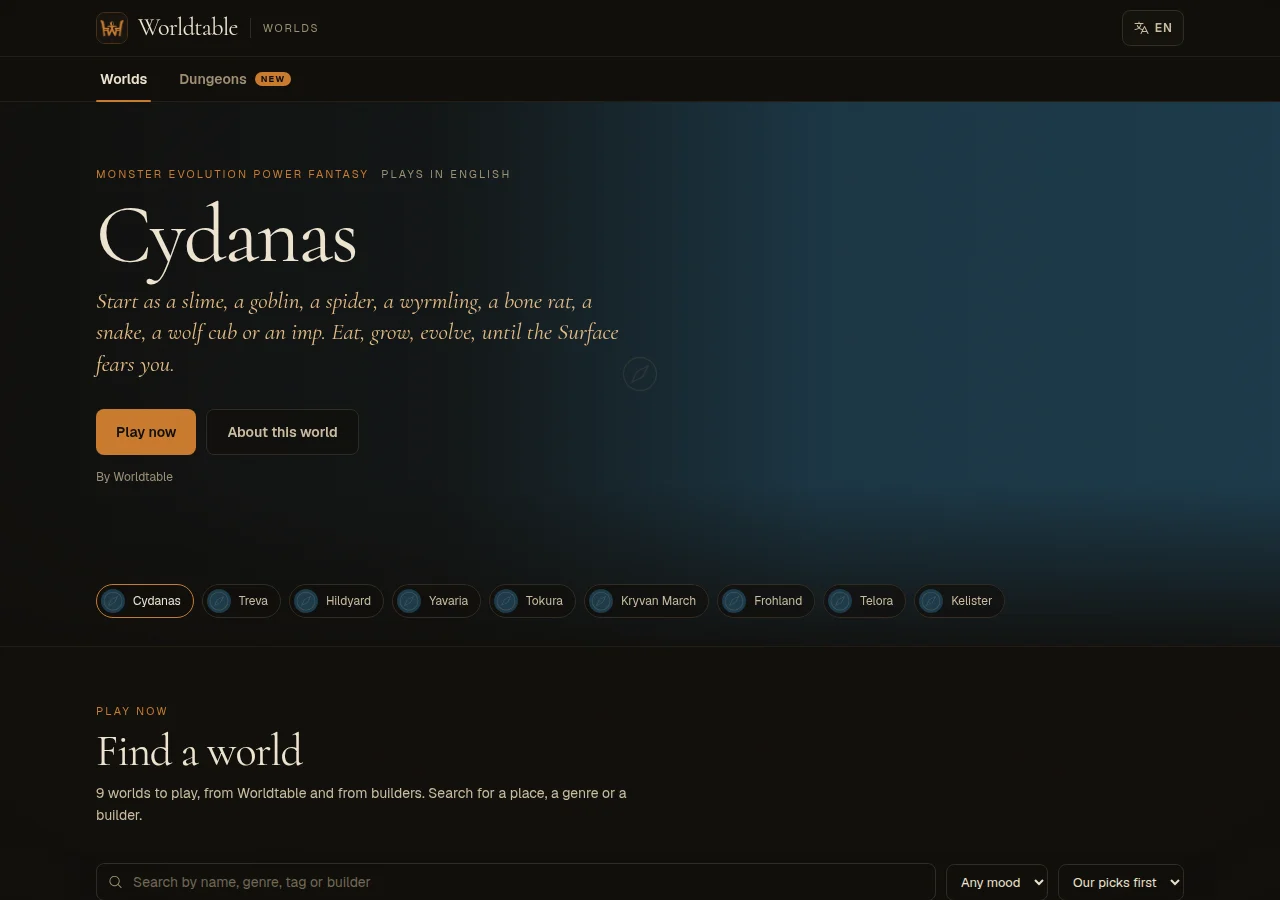
- Every world in one directory. Search by name, filter by setting and mood, and sort by staff picks, busiest, newest or name.
- Pick a language. The language menu lists each language with how many worlds play in it, and how many of those are translations.
- More on each card: a Codex button to read about the world before you play, and how much the world is played.
- Continue where you left off. If you've played before, the top of the page shows your last world, character and place, and when you were last there, with one Continue button and up to three other worlds you play. My worlds is sorted by when you last played.
- Custom rules tag. A builder's world that runs its own rule system or plugins now carries a Custom rules tag, and the world's page names the systems it uses. Those worlds can be a harder first game, so now you know before you start.
- Studio from the map. If you build a world, the map's side menu has a Studio link.
Start a world from your files
When you make a new world, the Studio now asks how you want to start:
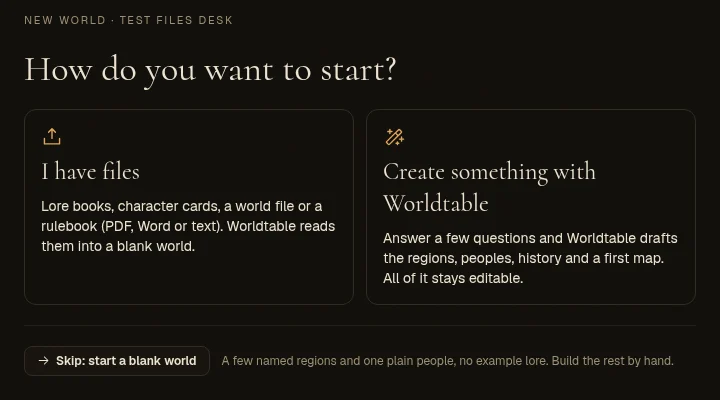
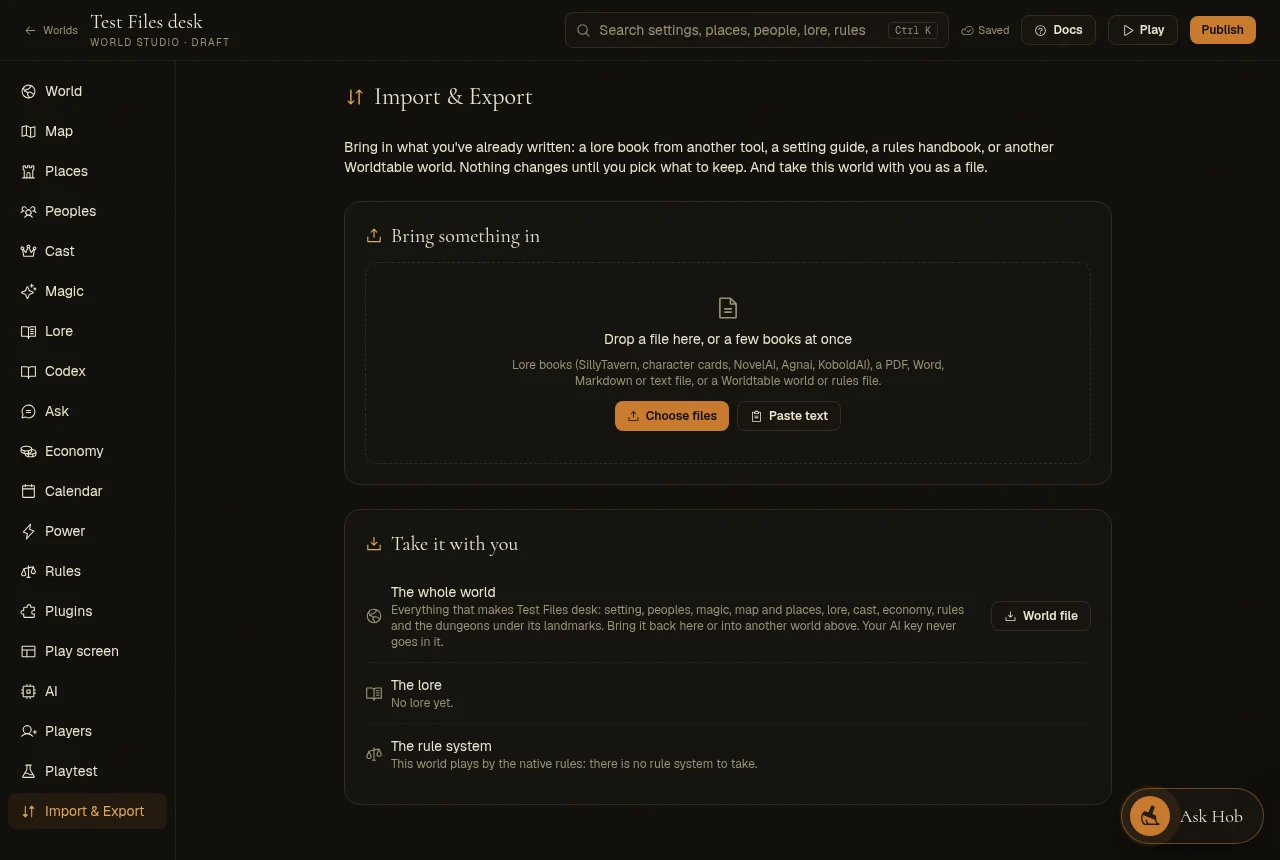
- I have files. Lore books, character cards, a world file or a rulebook. Worldtable reads them into a blank world. It takes lore books from SillyTavern, NovelAI, Agnai and KoboldAI; character cards, PNG or JSON, which also bring the character in as a cast member you can keep; Worldtable world files and rule systems; and setting guides and rulebooks as PDF, Word, HTML, Markdown or text, read into lore and rules.
- Create something with Worldtable. Answer a few questions and Worldtable drafts the regions, peoples, history and a first map. All of it stays editable.
- Skip: start a blank world. A few named regions and one plain people, with no example lore, to build by hand.
Studio › Play screen
A new tab for what players see while they play.
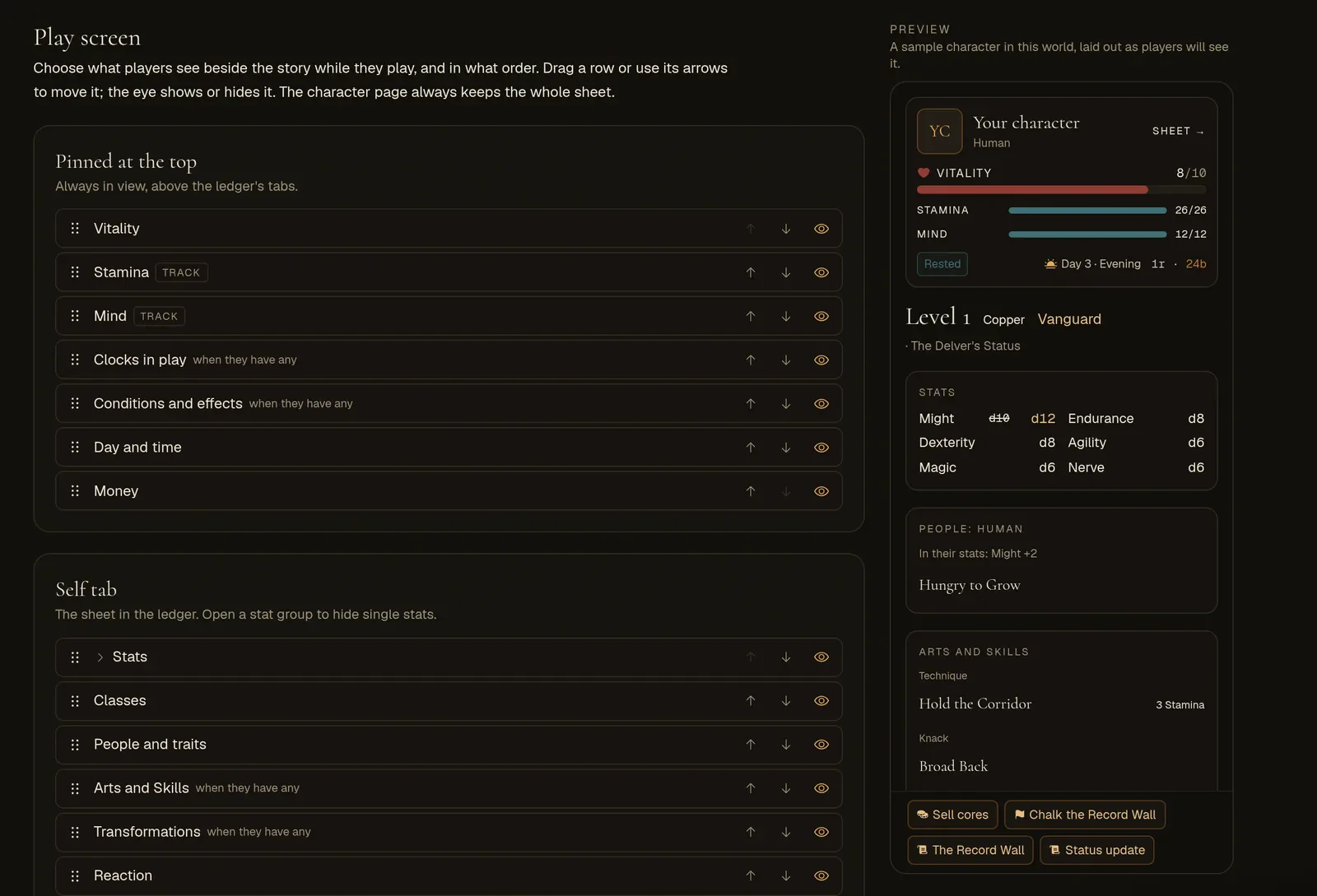
- Four lists: the block pinned at the top of the ledger, the Self tab, the chips under the header, and the plugin buttons over the input box.
- Order and hide. Drag a row, or use its arrows, to move it. Use the eye to hide it. Open a stat group to hide single stats.
- Live preview. Beside the lists, a sample character shows the play screen as players will see it.
- It only changes the view. Hiding something never changes how the world plays, and the full character page still shows everything.
- New things still show up. A new stat, chip or plugin button you add later takes its usual place, so nothing disappears because the layout didn't name it.
- Editions and world files keep it. The docs have a page on it: The play screen.
Where new characters begin
- Studio › Places › a region › Where new characters begin: nobody, or any of the region's towns. If you don't set it, new characters start in the region's main town, as before.
- In the creator, a region that offers nobody isn't shown, and players choose among the towns a region offers.
The Expedition is a switch
Into the unknown, the guided voyage into uncharted waters, is now a world rule: Studio › Rules › World rules › Expedition. It's off in every preset and every new world. When it's off, the map hides the button and the server refuses the voyage.
Peoples that grow out of others
- Grows out of. In Studio › Peoples, a people that characters only reach by changing (a vampire, an ascended form) can say which people it grows out of.
- The creator shows only who you can start as, with the forms each one can grow into folded underneath. The world's public page and the people picker do the same.
- If you don't set it, Worldtable works it out from your Evolution path plugin, or from the peoples' descriptions. A form it can't place goes in one folded Only by changing row.
NPC portraits
- Pick the picture model when you paint an NPC's portrait, as you do for your own portrait.
- A portrait a player painted stays theirs. Other players can't paint over it. You and your builders still can, and your repaint keeps it credited to whoever painted it.
Smaller things
- Small text buttons across the Studio now have a visible edge, so they look like buttons.
- Buttons that remove something turn red when you hover over them.