Hob while you play
Hob now waits at the edge of every screen while you playtest a draft: ask why a turn went that way, and it fixes the world, takes the turn back and hands it to you to try again.
Building a world means playing it, again and again, until it plays the way you meant. Until now that meant playing a turn, leaving for the Studio to change something, and coming back to try again. Now Hob comes with you. While your world is still a draft, Hob waits at the edge of every screen you play on, and the loop happens in one place: play a turn, ask why, fix it, try again.
A drawer at the edge of the screen
- It's always there while you playtest: on the world map, in the character creator, on your story page, on town maps, your character sheet and people's pages. A small Hob tab is tucked into the left edge, out of the way of everything else on screen.
- Rest your pointer on the tab for a moment, or tap it, and the drawer slides out. Your conversation stays with you as you move between screens.
- Only you see it. It shows for the world's owner and builders, and only while the world is a draft. Players never see it, and once you publish, it goes away.
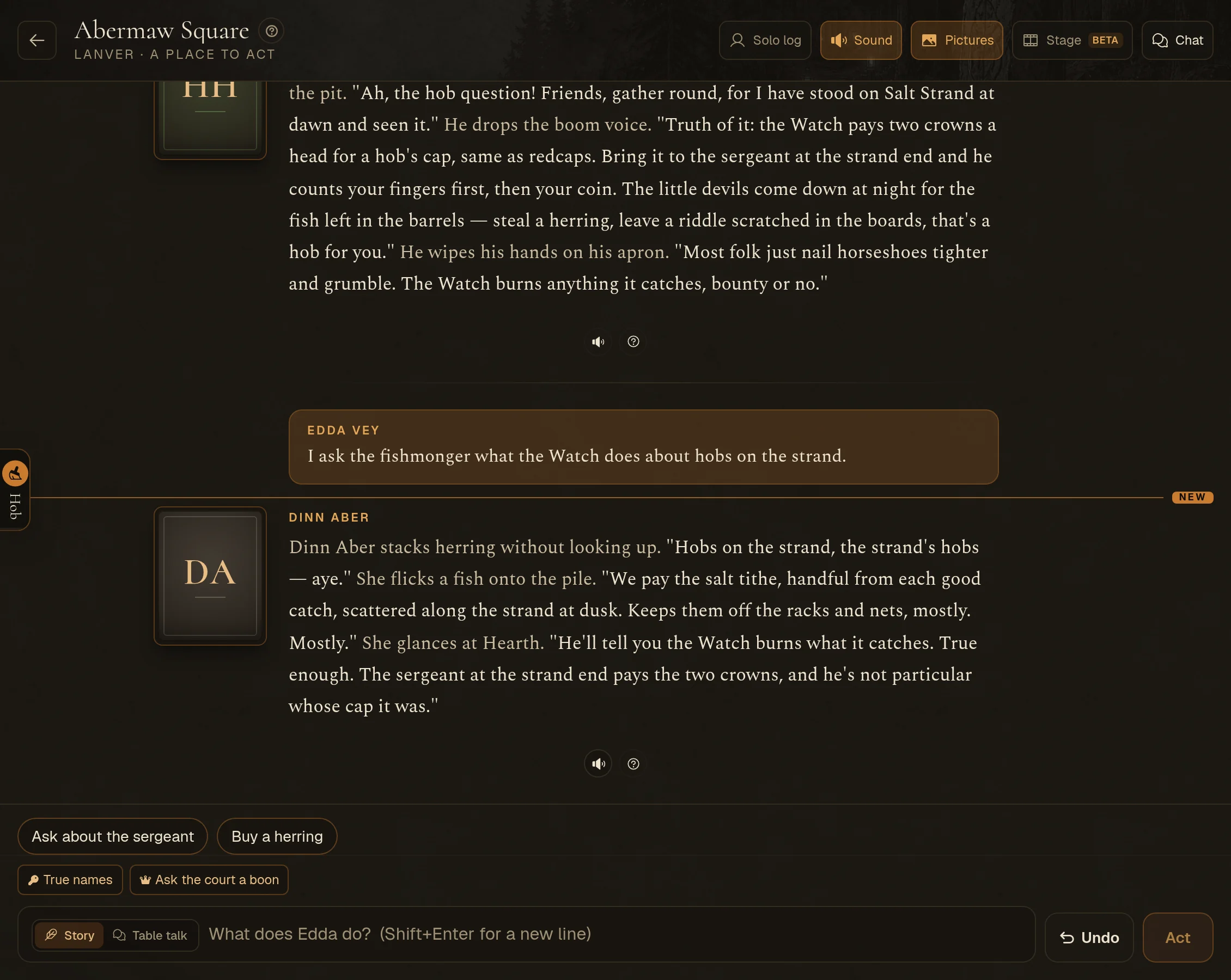
Ask about the turn you just played
Ask in plain words, the way you'd ask a friend at the table: "Why didn't she react to the lore?", "That fight was far too easy", "My plugin never fired". Hob reads the turn and the storyteller's notes behind it: how your action was read, what the storyteller found, what it planned and why. Then it tells you what caused it. It might be your world (a lore entry, someone in your cast, a rule, a plugin) or the engine itself. When nothing went wrong, it says so.
Then it fixes it, and hands you the turn back
- Fixes to the world save at once and play from your next turn: lore, cast, places, rules, plugins. Each reply keeps one earlier version of the world in the Studio's History, so you can always go back. If the Studio is open in another tab, it picks up Hob's changes instead of saving over them.
- Your character is your test character. Hob can give you money or gear, give you experience, heal you, move you somewhere, or end a fight, so you can set up exactly the moment you want to test. Just ask.
- Then it sets up the retry. Hob takes the turn back and puts your words back in the story box, ready to send again. Send it and see if the fix worked.
- When a change only shows once the page loads again (your world's look, a plugin's panel or chips), Hob reloads the screen for you, and the drawer stays open.
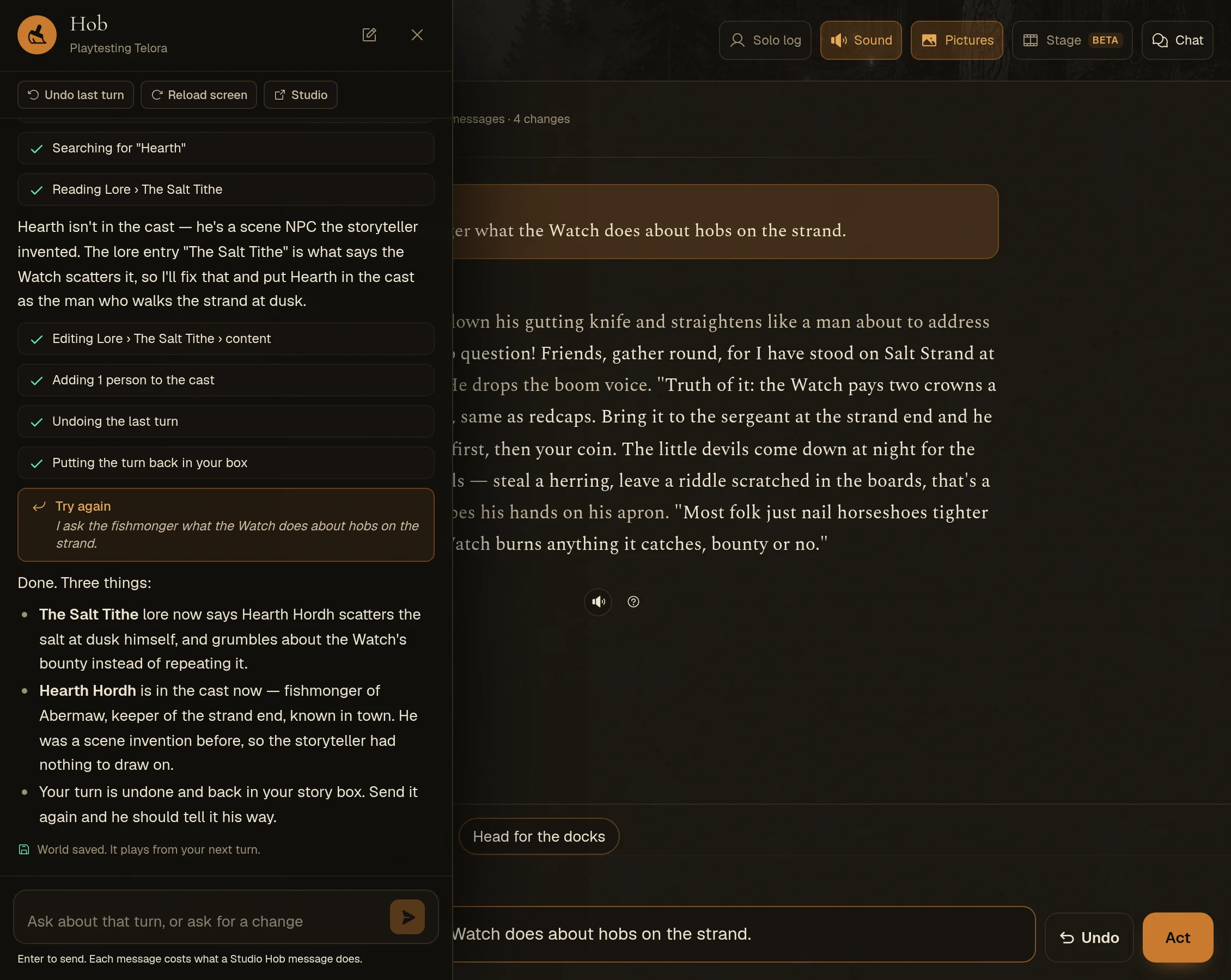
A few buttons that don't need words
The top of the drawer has Undo last turn, Reload screen and Studio, which opens your world's Studio in a new tab.
Each message to Hob costs the same as a message to Hob in the Studio. The Studio's Playtest tab now mentions the drawer too, so you'll find it when you press Enter there.